
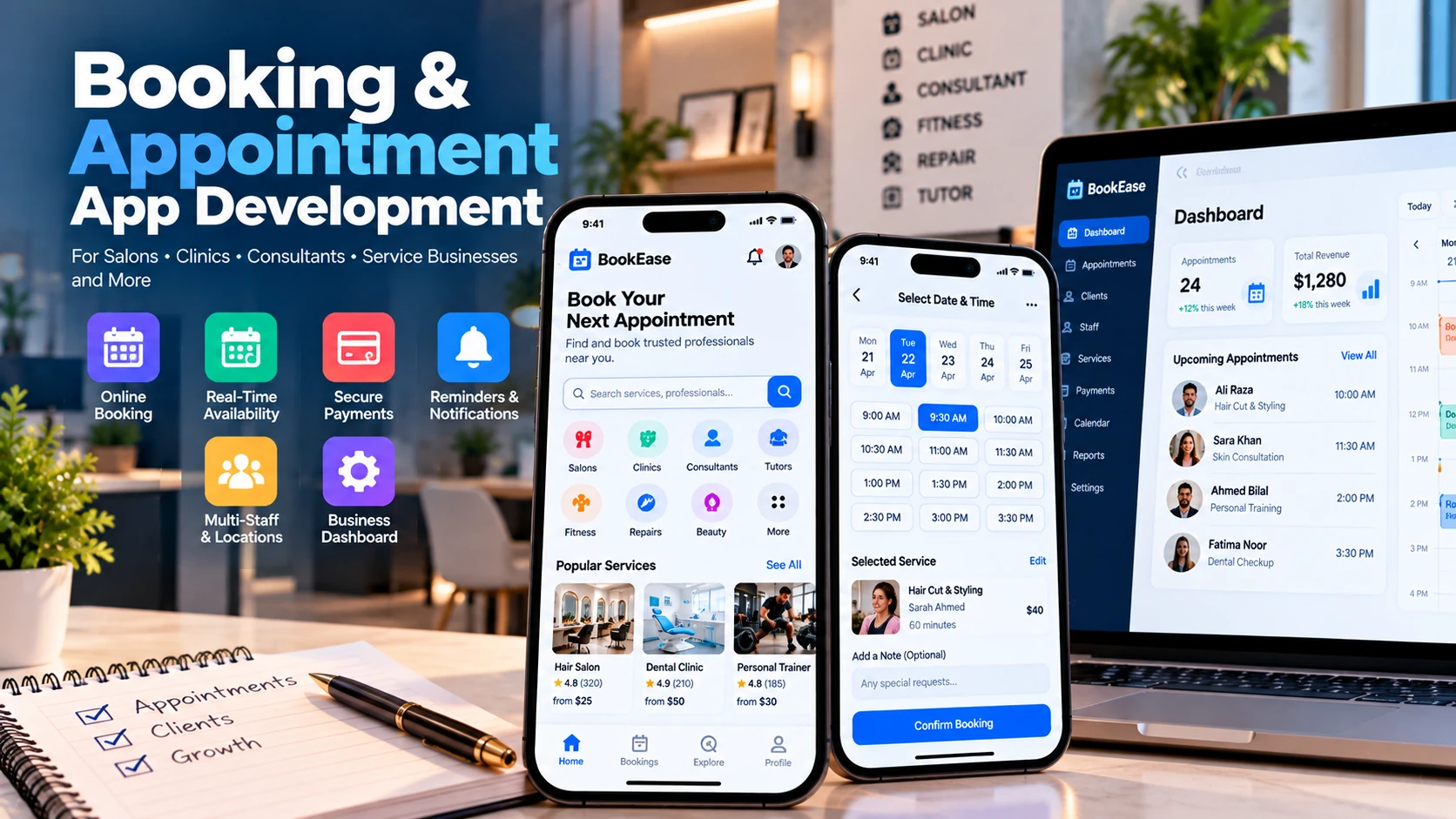
For service-based enterprises, time is the core inventory. Whether managing private medical practices, legal consultations, wellness salons, automotive repair centers, or enterprise advisory firms, businesses lose substantial revenue each month to missed phone calls, manual scheduling overhead, and customer no-shows.
While generic off-the-shelf booking tools provide basic public calendars, growing businesses frequently outgrow their rigid constraints. Off-the-shelf platforms struggle to accommodate custom deposit rules, multi-branch location routing, strict practitioner buffer times, deep integration with proprietary CRM databases, and white-labeled branded customer experiences.
Custom booking and appointment applications eliminate these friction points. By automating availability calculations, synchronizing with personal staff calendars, and enforcing deposit policies, a custom scheduling system converts manual administrative time into revenue.
This technical guide explores the end-to-end development of custom booking and appointment software, examining core customer and administrative feature sets, database concurrency control, multi-timezone handling, and cost drivers.
Core Architectural Pillars: Customer App vs. Admin Backoffice
An effective scheduling platform bridges the gap between self-service customer convenience and granular administrative control.
| System Pillar | Target Users | Core Functional Modules |
|---|---|---|
| 1. Customer Client Experience | Clients & Patients (iOS, Android, & Web Portal) | Service catalog, practitioner bio/selection, real-time interactive calendar slot picker, upfront deposit/full payment, automated reminders, self-service rescheduling, history |
| 2. Staff & Practitioner Interface | Employees, doctors, stylists, consultants (Mobile App / Web) | Personal appointment agenda, break windows, custom buffer intervals between sessions, vacation day blocking, two-way Google/Outlook calendar synchronization |
| 3. Business Operations Backoffice | Practice managers & administrators (Web Dashboard) | Multi-location management, resource allocation (treatment rooms, equipment), staff commission tracking, customer CRM, no-show rate analytics, payment ledgers |
Essential Features for High-Performing Booking Applications
1. Dynamic Service & Practitioner Discovery
Customers should easily filter services by category, duration, price, and location. Profiles for individual practitioners allow clients to select their preferred specialist or choose "Any Available Specialist" to view the earliest open time slot.
2. Intelligent Time Slot Engine with Buffer Intervals
A 60-minute massage or medical consultation is rarely back-to-back. Practitioners require 10 to 15 minutes of buffer time for room sanitization, note documentation, or equipment reset. The scheduling engine must automatically calculate slot availability based on service duration plus required buffer margins.
3. Upfront Deposits & Cancellation Policies
No-shows represent direct revenue loss. Integrating payment gateways (Stripe, Apple Pay, Google Pay) allows businesses to require full payment or a non-refundable deposit upon booking. The system enforces policy rules: allowing automated refunds if cancelled outside 24 hours, while retaining deposits for late cancellations.
4. Automated Multi-Channel Reminders
Dispatching automated appointment confirmations and countdown reminders (24 hours and 2 hours prior) via SMS (Twilio), WhatsApp Business API, and push notifications significantly slashes no-show rates compared to manual reminder calls.
5. Multi-Location & Resource Assignment
For multi-chair salons, multi-clinic dental networks, or tutoring centers, appointments depend on multiple constraints simultaneously: practitioner availability, physical room availability, and specialized equipment access (e.g., laser therapy machines).
Complex Engineering Challenges in Scheduling Systems
While appointment booking appears simple on the surface, beneath the user interface lies complex distributed systems engineering:
1. Concurrency Control & Double-Booking Prevention
When multiple users attempt to reserve the same popular 5:00 PM Friday time slot simultaneously, naive database queries will result in race conditions where two customers receive confirmation for the same seat. Robust architectures solve this using distributed locks:
- Temporary Hold (Redis Lock): When Customer A selects a time slot and enters the checkout flow, the backend acquires a distributed lock in Redis (such as Redis Redlock) with a 10-minute TTL. The slot is rendered as "In Checkout" to all other users.
- Atomic Commitment: If Customer A completes payment within the window, the transaction is committed to PostgreSQL with a unique constraint index on `(practitioner_id, start_time, end_time)`.
- Automatic Release: If Customer A abandons the screen or payment fails, the Redis key expires, immediately returning the slot to the public pool without database deadlocks.
2. Multi-Timezone Architecture
For telemedicine practices, virtual consultants, or international coaching platforms, customers and specialists reside in different time zones:
- Universal UTC Storage: All appointment timestamps in the database must be stored strictly in UTC (Coordinated Universal Time).
- Device Presentation Layer: The frontend application retrieves the user's local IANA timezone identifier (e.g., `America/New_York`, `Europe/London`) and dynamically projects available slots into the user's local clock.
- Daylight Saving Transitions: Using robust timezone libraries (such as `date-fns-tz` or Python's `zoneinfo`) ensures slots crossing Daylight Saving Time boundaries do not drift by an hour.
3. Two-Way External Calendar Synchronization
Staff members frequently schedule personal commitments directly on their smartphone calendars. Implementing two-way synchronization ensures business calendars reflect external events:
- Google Calendar API & Microsoft Graph API: The platform requests OAuth2 access to staff calendars.
- Webhook Event Listeners: When an event is added to a staff member's personal Google Calendar, a webhook notifies your backend to block out corresponding availability. Conversely, when a customer books via the app, an event is automatically written to the specialist's calendar with client details.
Industry-Specific Applications
Custom appointment software adapts seamlessly across diverse commercial verticals:
- Healthcare & Dental Clinics: Patient triage questionnaires, treatment room assignment, secure medical record linking, and appointment follow-up sequences.
- Salons, Spas & Wellness Centers: Multi-service bundling (e.g., haircut followed by styling), stylist tier pricing, and automated tip calculation at checkout.
- Legal, Financial & Consulting Practices: Virtual consultation links (Zoom/Google Meet API integration automatically generated upon booking), document pre-upload, and retainer deposits.
- Automotive & Home Repair Services: Technician mobile dispatch, service bay scheduling, and upfront diagnostic fee authorization.
- Fitness Trainers & Tutors: Package subscriptions, recurring weekly time-slot reservations, and cancellation penalty rules.
Technical Architecture & Mobile Strategy
A modern booking system requires unified mobile and web interfaces backed by resilient cloud infrastructure:
- Mobile Applications: Cross-platform frameworks like Flutter allow businesses to deploy high-performance iOS and Android apps for both customers and staff from a unified codebase. Discover cross-platform benefits in our guide on Flutter vs. Native App Development.
- Web Booking Widget & Backoffice: Built with React / Next.js, allowing frictionless embeddable booking on existing corporate websites without forcing mobile downloads. Learn more in our comparison of Web Apps vs. Mobile Apps.
- Backend API: Node.js (Express/NestJS) or Python (FastAPI) providing clean REST/GraphQL endpoints with token-based authentication.
- Primary Database: PostgreSQL with relational schemas enforcing foreign keys between customers, practitioners, services, appointments, and payment transactions.
- Caching & Queuing: Redis handling temporary slot reservation locks and BullMQ managing scheduled reminder dispatches.
- Security & Data Privacy: Encrypted data at rest and in transit, strict RBAC permissions, and PCI-DSS compliant payment processing via Stripe Elements.
Development Roadmap & MVP Delivery
A phased delivery approach ensures early operational adoption before adding multi-branch complexity:
| Phase | Key Deliverables | Duration |
|---|---|---|
| Phase 1: Discovery & Scheduling Logic | Figma UI/UX designs, staff schedule data modeling, buffer time logic, API specifications | Weeks 1–3 |
| Phase 2: Core Booking Engine | Customer booking web/mobile flow, PostgreSQL slot generation, Redis locking, Stripe checkout | Weeks 4–8 |
| Phase 3: Calendar Sync & Notifications | Google Calendar API integration, SMS/Email reminder workers, staff schedule editor | Weeks 9–12 |
| Phase 4: Analytics & Production Launch | Admin reporting dashboard, no-show metrics, client CRM history, store submission | Weeks 13–15+ |
Cost Factors in Appointment App Development
Investing in custom appointment software involves clear engineering cost drivers:
- Cross-Platform Scope: Building both a consumer mobile app (iOS/Android) and an embeddable web booking portal versus a single responsive web application. For industry cost tiers, consult our comprehensive guide on Mobile App Development Costs in 2026.
- External Integration Depth: Connecting proprietary in-house electronic health records (EHR), enterprise CRM platforms, or custom accounting software (QuickBooks/Xero) requires dedicated integration middleware.
- Multi-Location Complexity: Single-location businesses require significantly simpler database rules than multi-city franchises managing shared staff floating across clinics.
- Communication Messaging Volume: Carrier fees for SMS and WhatsApp transactional messages scale with customer appointment volume.
Frequently Asked Questions
How do appointment booking apps prevent double-booking?
Preventing double-booking requires database-level concurrency control. When a customer initiates a slot checkout, the backend applies a temporary distributed lock (via Redis Redlock or database row-level locking) for 10 minutes. If the transaction completes successfully, the slot is committed; if the customer abandons checkout, the lock expires automatically.
How should multi-timezone scheduling be architected?
All timestamps (availability, slot start/end, and audit logs) must be stored in Coordinated Universal Time (UTC) within the database. The client application converts UTC timestamps to the customer's or practitioner's local device IANA timezone identifier at the presentation layer, safely accounting for Daylight Saving Time (DST) transitions.
Can an appointment app synchronize with Google Calendar and Outlook?
Yes. The backend integrates with the Google Calendar API and Microsoft Graph API via OAuth2, utilizing webhooks to achieve bidirectional synchronization. When a staff member creates a personal appointment on their Google Calendar, the booking engine automatically blocks out that time slot in the mobile app.
Should booking platforms charge upfront deposits?
Integrating non-refundable deposits or full upfront payment authorization via Stripe significantly reduces customer no-show rates. The platform can enforce custom cancellation policies (such as full refunds if cancelled at least 24 hours in advance).
What is the typical development timeline for an appointment booking MVP?
A standard appointment booking platform — including customer mobile booking, staff calendar management, automated notifications, and payment processing — typically takes 10 to 14 weeks of engineering effort.
Build Your Custom Scheduling Solution with Pak IT Corner
At Pak IT Corner, we engineer custom software tailored to the operational realities of service-driven businesses. From native iOS and Android customer applications to responsive web dashboards and calendar synchronization engines, we deliver reliable, scalable booking platforms.
Ready to automate your appointment scheduling workflow? Explore our past work in our portfolio, examine our structured development packages, or speak directly with our engineering team.