
Personal trainers and fitness businesses are moving their coaching into apps: programmes, check-ins, progress tracking and payments, all in a client's pocket. If you are thinking about how to make a personal trainer app, the hard part is not the idea but the scope. It is easy to list fifty features and run out of budget before launch. This guide explains what to build first, what to leave for later and how the pieces fit together.
If you want the AI-driven version of this product, read our deeper technical guide on building an AI fitness and personal trainer app. This article covers the broader product planning that applies to any personal trainer app, with or without AI.
Step 1: Decide who the app is for
There are three common shapes for a personal trainer app, and each leads to different features:
- Client-facing app for one trainer or brand. Your clients log in to see their programmes, track workouts and message you. This is the simplest model and a strong first product.
- Trainer tool. Trainers use a dashboard to build programmes, manage many clients and track their progress. This needs more back-office features.
- Marketplace. Many trainers and many clients, with discovery, bookings and payments between them. This is the most complex and expensive model, so most teams start with one of the first two.
Pick one audience for version one. Trying to serve trainers, clients and a marketplace at once is the most common reason fitness apps overrun budget.
Must-have features for the first release
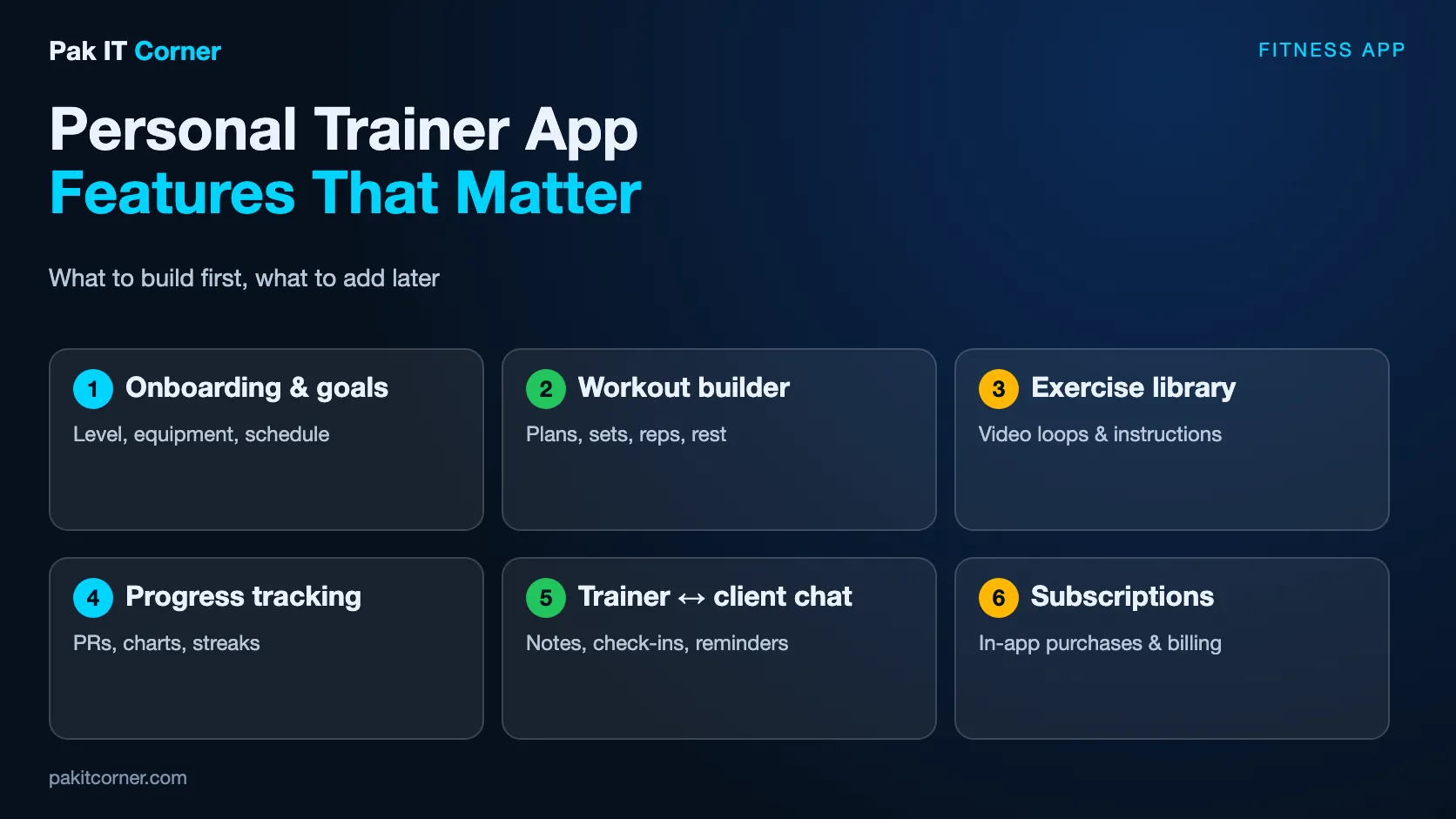
Onboarding and profile
Capture the basics that drive personalisation: goals, experience level, available equipment, training days and any limitations the user chooses to share. Keep it short; long sign-up forms lose users.
Workout builder and exercise library
A searchable library of exercises with clear instructions and short video or animation loops, plus a way to assemble workouts and weekly plans with sets, reps, weight and rest times. Trainers need to build and assign programmes; clients need to follow them without friction.
Workout logging
The core loop of the app. Clients must log sets quickly, ideally with previous weights pre-filled, a rest timer and the ability to finish a workout in a few taps. Speed matters more than polish here, because people use the app between sets.
Progress tracking
Charts and history for personal records, body measurements, photos if you choose to support them, streaks and completed sessions. Visible progress is what keeps clients subscribed.
Notifications and reminders
Workout reminders, check-in prompts and streak nudges, using push notifications. Let users control what they receive.
Accounts and subscriptions
Secure sign-in and a billing model, such as monthly plans or programme purchases. Subscriptions are usually the main revenue source, so treat billing as a core feature, not an afterthought.
Trainer-side features
If trainers use the app to run their business, add these early, because they are what trainers pay for:
- A client list with status, recent activity and notes.
- Programme templates that can be copied and adjusted per client.
- Messaging or comments on workouts, so feedback stays in context.
- Check-in forms for weight, sleep, mood and adherence.
- Scheduling and payment collection, where the legal and store rules allow.
Features to add after launch
- Apple Health and Google Health Connect integration to read steps, heart rate and workouts from the user's devices.
- Offline workout mode so sessions work in gyms with weak signal, syncing when the connection returns.
- Bluetooth heart-rate straps and wearables for live biometrics during sessions.
- Video form feedback where clients upload clips and trainers review them.
- Nutrition tracking and meal plans, which are a large feature on their own.
- Community and challenges to improve retention.
- AI-adapted programmes that adjust training based on performance and recovery.
How a personal trainer app makes money
- Subscriptions: monthly or yearly access to programmes and coaching.
- One-time programme sales: fixed programmes such as a 12-week plan.
- Premium coaching tiers: higher-priced plans with direct trainer access.
- Software fees for trainers: if you build a trainer tool, trainers pay to manage their clients.
Store rules affect how you collect payment. Digital subscriptions and content sold inside an iOS or Android app generally have to use the platform's in-app purchase system, and the stores take a commission. Rules differ for services delivered in person, so check the current Apple and Google guidelines with your developer before you design the pricing flow.
Choosing the technology
- Mobile apps: Flutter lets you build iOS and Android from one codebase, which usually reduces cost and time for a content-and-logging app like this. Native Swift and Kotlin make sense when you need deep platform features or the best possible performance. Our comparison of Flutter vs native development helps you decide.
- Backend: user accounts, programme and workout data, subscriptions and notifications, hosted on a managed cloud service so you do not run servers yourself.
- Video and media: store exercise videos on a CDN with adaptive streaming so they load fast on mobile data.
- Admin panel: a web dashboard for managing users, content and subscriptions. See our web app development service if you need one.
Privacy, health data and safety
Fitness apps handle personal data and sometimes health-related data, so plan for it from the start. Ask only for the data you need, explain how it is used, let users delete their account and data, and follow the privacy rules of the regions where you operate, such as GDPR in Europe. Position the app as general fitness and wellness support rather than medical advice, and add clear safety messaging for exercises. Apps that diagnose or treat conditions can fall under stricter medical regulations.
A realistic roadmap
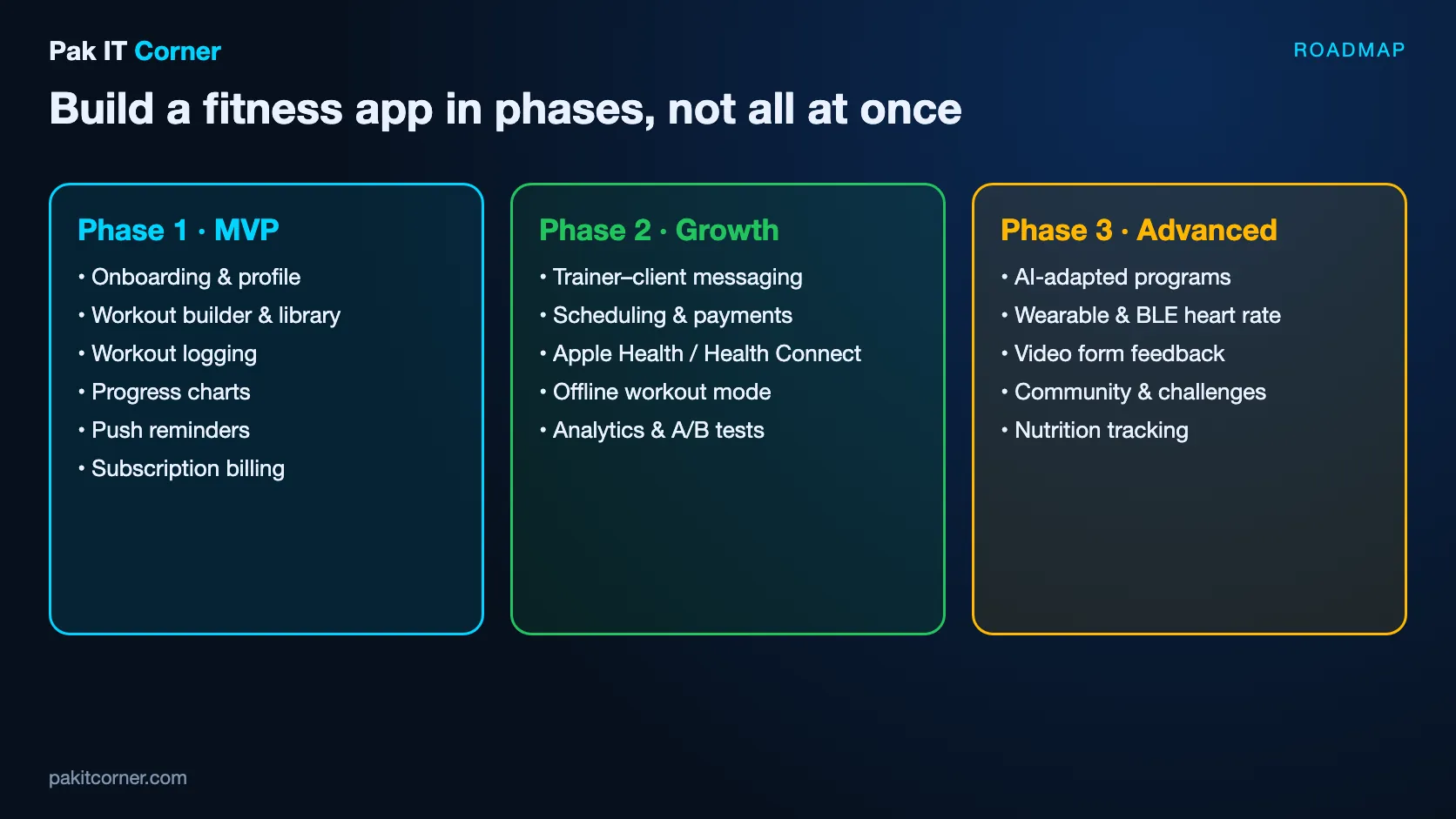
Ship in phases. Phase one is the MVP: onboarding, workout builder and library, logging, progress charts, reminders and billing. Phase two adds trainer-client messaging, scheduling, health-platform integration and offline mode. Phase three adds the differentiators, such as wearables, video feedback, nutrition and AI. Each phase gives you real user data to guide the next.
Timelines depend on scope, team and platforms. As a general guide, a focused MVP with a small team commonly takes a few months, and our estimate for an AI-driven MVP is in the 12 to 16 week range. For budgeting, see our mobile app development cost guide and our packages.
Common planning mistakes
- Building for trainers, clients and a marketplace in version one.
- Spending the budget on features before validating the core workout loop.
- Treating billing and store rules as something to sort out at the end.
- Using a thin exercise library with poor instructions or no media.
- Ignoring offline behaviour, then hearing complaints from gym users.
Frequently asked questions
What features does a personal trainer app need?
The essentials are onboarding and a user profile, a workout builder and exercise library, fast workout logging, progress tracking, reminders and billing. Trainer-facing apps also need a client list, programme templates, messaging and check-ins.
How do I make a personal trainer app?
Choose your audience, define a small MVP, pick a technology approach such as Flutter for iOS and Android, build the core workout loop first, then add trainer tools, integrations and advanced features in later phases based on real user feedback.
How do personal trainer apps make money?
Most earn through monthly or yearly subscriptions. Others sell one-time programmes, premium coaching tiers with direct trainer access, or charge trainers a software fee to manage clients.
Should I build one app for iOS and Android?
A cross-platform framework such as Flutter often lets you reach both platforms from one codebase, which lowers cost and speeds up launch. Native development is better when you need deep platform features or the highest performance.
How long does it take to build a personal trainer app?
It depends on scope. A focused MVP with a small team commonly takes a few months, and an AI-driven MVP is typically in the 12 to 16 week range. Adding marketplace features, nutrition or video feedback extends the timeline.
Plan your personal trainer app with Pak IT Corner
We design and build mobile and web apps for startups and fitness businesses, from iOS and Android apps to the backend and admin tools behind them. Look at our portfolio, compare a fitness app builder with custom development, or tell us about your idea.