
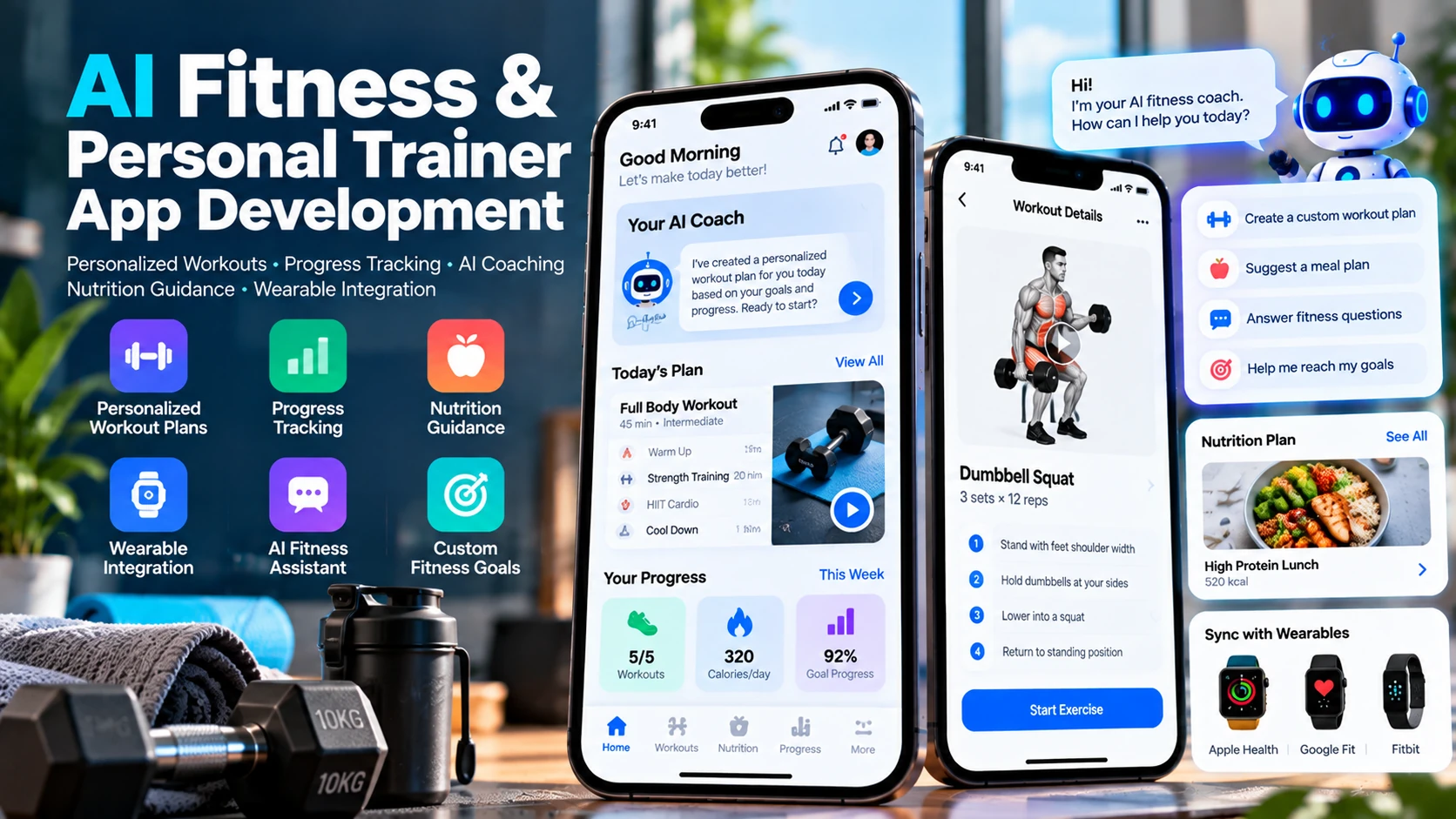
Static PDF workout templates and pre-recorded fitness apps have reached a ceiling. While standard video libraries provide visual guidance, they cannot adapt when a trainee travels without dumbbells, experiences severe muscle soreness, or plateaus on a compound lift. In contrast, hiring a dedicated private trainer is financially prohibitive for the vast majority of consumers.
Modern artificial intelligence bridges this gap. By combining exercise science periodization models with large language models, computer vision, and wearable biometrics, an AI fitness app delivers dynamic, hyper-personalized training programs that evolve with the user after every completed session.
However, engineering a commercial fitness application introduces unique architectural challenges. Developers must design offline-first mobile sync engines that function inside basement gyms without cellular signal, integrate wearable health APIs across iOS and Android, and implement strict safety guardrails that protect users from unsafe exertion.
This technical guide explores the end-to-end development of an AI personal trainer app, from core product features and biometrics to backend architecture, regulatory safety boundaries, and MVP roadmaps.
Core Functional Modules of an AI Fitness Platform
A production-ready fitness application combines five interconnected functional modules:
1. Dynamic Onboarding & Fitness Profiling
The onboarding flow captures critical baseline variables: fitness experience (beginner, intermediate, advanced), primary objectives (hypertrophy, cardiovascular endurance, functional mobility, fat loss), equipment availability (full commercial gym, home dumbbells, resistance bands, or bodyweight only), weekly schedule commitment, and pre-existing movement restrictions (e.g., lower back sensitivity).
2. AI-Generated Adaptive Workout Programs
Unlike rigid 8-week static spreadsheets, an AI trainer computes progressive overload dynamically. The system structures mesocycles and microcycles, selecting optimal exercises, target set/rep ranges, and Rest-Pause intervals. When a user logs an unexpectedly high RPE (Rate of Perceived Exertion) or fails reps, the engine automatically adjusts load and volume for subsequent sessions.
3. Real-Time Conversational Fitness Coach
An integrated conversational interface allows users to ask contextual training questions between sets: "The squat rack is occupied — what can I substitute for barbell back squats using dumbbells?" or "How should I position my elbows during a dumbbell shoulder press to avoid shoulder impingement?"
4. Active Workout Execution Engine
During live workouts, the UI must minimize user distraction. Key features include high-contrast exercise demonstration loops, interactive rest timers with audio countdown cues, rapid set/weight logging with pre-filled previous records, and background audio ducking so workout music isn't interrupted.
5. Wearable Biometrics & Recovery Tracking
Connecting to wearable platforms — such as Apple HealthKit, Google Health Connect, and direct Bluetooth Low Energy (BLE) heart rate chest straps — provides real-time biometric feedback. The app monitors heart rate recovery zones during HIIT sessions and uses sleep quality scores to calibrate workout intensity.
Critical Safety Rules: Wellness vs. Regulated Healthcare
Engineering teams entering the digital fitness space must understand regulatory boundaries between general wellness software and regulated medical devices.
| Dimension | General Wellness / Fitness App (Permitted Scope) | Regulated Medical Software (Prohibited Scope) |
|---|---|---|
| Primary Function | Supports exercise programming, general physical fitness, habit tracking, and motivation | Diagnosing, treating, curing, or rehabilitating specific pathological diseases or clinical injuries |
| Health Screening | Self-reported physical activity readiness questionnaires (e.g., standard PAR-Q+ questions) | Clinical orthopedic assessments, ECG diagnostic analysis, medical treatment planning |
| Safety Boundaries | Prompts users to consult certified physicians before beginning strenuous exercise routines | Replaces physician guidance or claims to safely treat chronic medical conditions |
| Liability & Compliance | Standard terms of service, explicit non-medical disclaimers, consumer privacy (GDPR/CCPA) | FDA Software as a Medical Device (SaMD), CE Medical Device Regulation (MDR), HIPAA compliance |
To ensure user safety and compliance with Apple App Store and Google Play guidelines, your application must enforce strict programmatic guardrails:
- No Medical Claims: System prompts for conversational AI models must explicitly instruct the assistant to decline medical diagnosis: "If a user reports acute sharp pain, joint swelling, dizziness, or chest tightness, immediately instruct them to stop exercising and consult a medical professional."
- PAR-Q+ Safety Screening: Integrate an automated Physical Activity Readiness Questionnaire during onboarding. If a user flags heart conditions or unmanaged chronic pain, require explicit acknowledgment and suggest medical clearance before unlocking intense strength programs.
- Biomechanically Sound Exercise Libraries: Never allow the LLM to invent unverified physical exercises from raw text. The AI must select solely from a verified internal library of exercises categorized by muscle groups, movement planes, and equipment requirements.
System Architecture: Designing an Offline-First Platform
Gyms are frequently located in commercial basements, converted warehouses, or rural parks with poor cellular reception. A fitness app that freezes when a user attempts to log a set will be uninstalled immediately. Offline resilience is a core architectural requirement.
Client-Side Local Database Architecture
When developing with Flutter or native mobile stacks, the client application must maintain an embedded local database (such as SQLite, Isar, or Realm):
- Local Read/Write: When a user starts a workout, the entire routine payload — including exercise metadata, set targets, and animation thumbnails — is cached locally. All logging operations write directly to local storage within milliseconds.
- Change Tracking & Queuing: Set completions, weight adjustments, and workout notes are appended to an internal synchronization queue with local timestamps.
- Background Synchronization: A background worker detects network restoration and pushes queued mutations to the backend API via idempotent REST endpoints, resolving conflicts using server-authoritative timestamps.
For cross-platform development teams, Flutter offers seamless offline database plugins and unified reactive state management. Read our detailed guide on Flutter vs. Native App Development to evaluate your options.
Backend Infrastructure & AI Integration
The backend acts as the central intelligence and synchronization hub:
- API Gateway & Auth: Node.js or Python (FastAPI) handling authentication, subscription verification, and synchronization webhooks.
- Relational Storage: PostgreSQL managing user profiles, exercise relational schemas, historical workout logs, and subscription records.
- Wearable Ingestion Workers: Background microservices processing asynchronous batch uploads from Apple HealthKit and Google Health Connect, calculating weekly rolling volume and recovery metrics.
- Subscription Billing Engine: Integration with Apple StoreKit 2 and Google Play Billing (often orchestrated via RevenueCat) managing free trials, monthly tiers, and annual recurring subscriptions.
- Hardware & IoT Sensor Interfaces: For advanced fitness startups developing smart gym equipment or connected resistance machines, our team also designs custom hardware controllers and firmware — explore our engineering capabilities in IoT App Development.
Development Roadmap: MVP to Scaled Platform
Building an intelligent fitness application requires disciplined milestones to validate user retention before introducing advanced features.
| Phase | Scope & Deliverables | Duration |
|---|---|---|
| Phase 1: Architecture & Exercise Library | Figma design system, curated 300+ exercise database with verified video loops, local DB schema | Weeks 1–4 |
| Phase 2: Core Workout Engine | Active workout logger, rest timers, offline storage, historical workout charts, auth | Weeks 5–8 |
| Phase 3: AI Generation & Wearables | Dynamic workout generation algorithm, HealthKit/Health Connect sync, in-app AI coach | Weeks 9–13 |
| Phase 4: Monetization & Store Launch | In-app subscription paywalls, push notification reminders, App Store and Google Play launch | Weeks 14–16+ |
Cost Factors in Fitness App Development
Software development budgets for mobile fitness products depend on four key components:
- Content Production: Producing or licensing high-definition, professionally filmed exercise demonstration videos and anatomical illustrations for the exercise catalog.
- Mobile App Engineering: Building cross-platform iOS and Android apps, local offline synchronization, and interactive timer components. For broader financial benchmarks, consult our report on Mobile App Development Costs in 2026.
- Wearable Health Integrations: Handling permission workflows and data normalization across Apple HealthKit and Google Health Connect.
- Cloud AI Infrastructure: Monthly token consumption for conversational coaching and dynamic routine generation. Caching common workout split templates significantly minimizes ongoing LLM operational expenses.
Frequently Asked Questions
How does an AI fitness app generate personalized workout routines?
The app collects user profile metrics during onboarding (experience level, goals, available equipment, schedule, and recovery state). The backend matches these parameters against a structured exercise library with verified biomechanical tags, using AI algorithms and rule-based periodization logic to construct adaptive training splits.
Is an AI fitness app classified as a medical device?
No. General wellness and fitness applications designed to support exercise, workout tracking, and general lifestyle coaching are not regulated medical devices, provided they do not diagnose, treat, prevent, or rehabilitate specific clinical diseases or orthopedic injuries. Applications must include clear health disclaimers.
How can a fitness app integrate with Apple Health and Google Health Connect?
Mobile applications access biometric data via platform-specific APIs: HealthKit on iOS and Health Connect on Android. The app requests granular user permissions to read active energy burned, resting heart rate, step count, and sleep stages, synchronizing this data to calibrate training recovery.
Can users complete workouts when there is no internet connection in the gym?
Yes. A resilient fitness application must implement an offline-first mobile architecture. Workout routines, video thumbnails, and exercise instructions should be stored locally in an embedded mobile database (such as SQLite or Isar), logging sets and reps locally and syncing with cloud servers once connectivity is restored.
What is the typical development timeline for an AI fitness app MVP?
An MVP featuring user onboarding, exercise database, AI workout generation, active workout logger, and subscription billing generally requires 12 to 16 weeks of engineering effort.
Engineer Your Fitness Application with Pak IT Corner
At Pak IT Corner, we engineer robust, high-performance digital products across iOS, Android, and the web. From responsive offline mobile client applications to scalable cloud backends, wearable integrations, and custom AI features, our team provides full-cycle software development.
Explore our previous software projects in our portfolio, examine our structured development packages, or get in touch with our engineering team today.