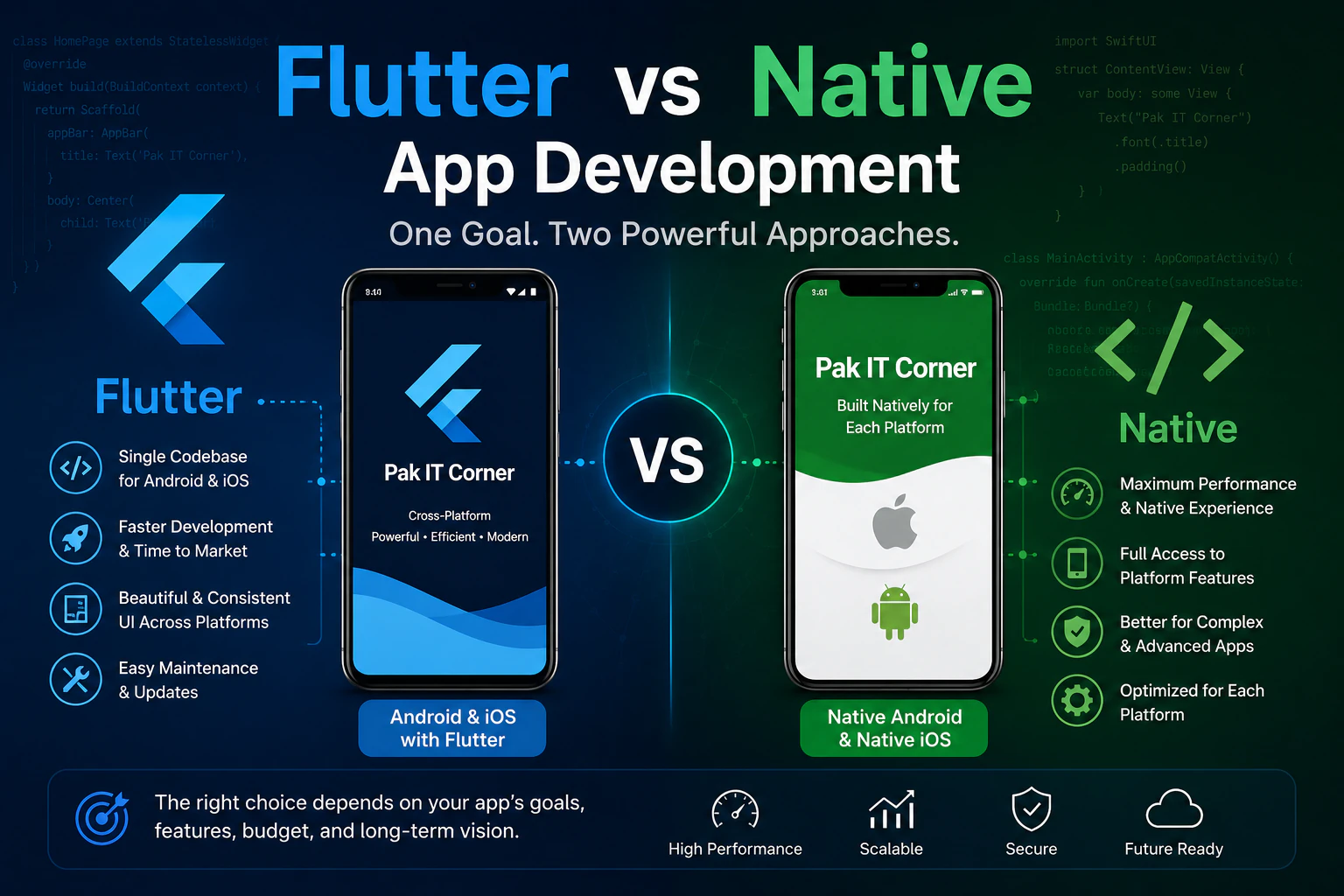
Choosing the right technology is one of the first major decisions when developing a mobile application. Businesses often face two main options: build a cross-platform application using Flutter or develop separate native applications for Android and iOS.
Both approaches can produce professional, high-quality applications. The right choice depends on your budget, timeline, application requirements, performance needs, and long-term plans.
In this guide, we'll compare Flutter and native app development to help you decide which approach is better for your project.
What Is Flutter App Development?
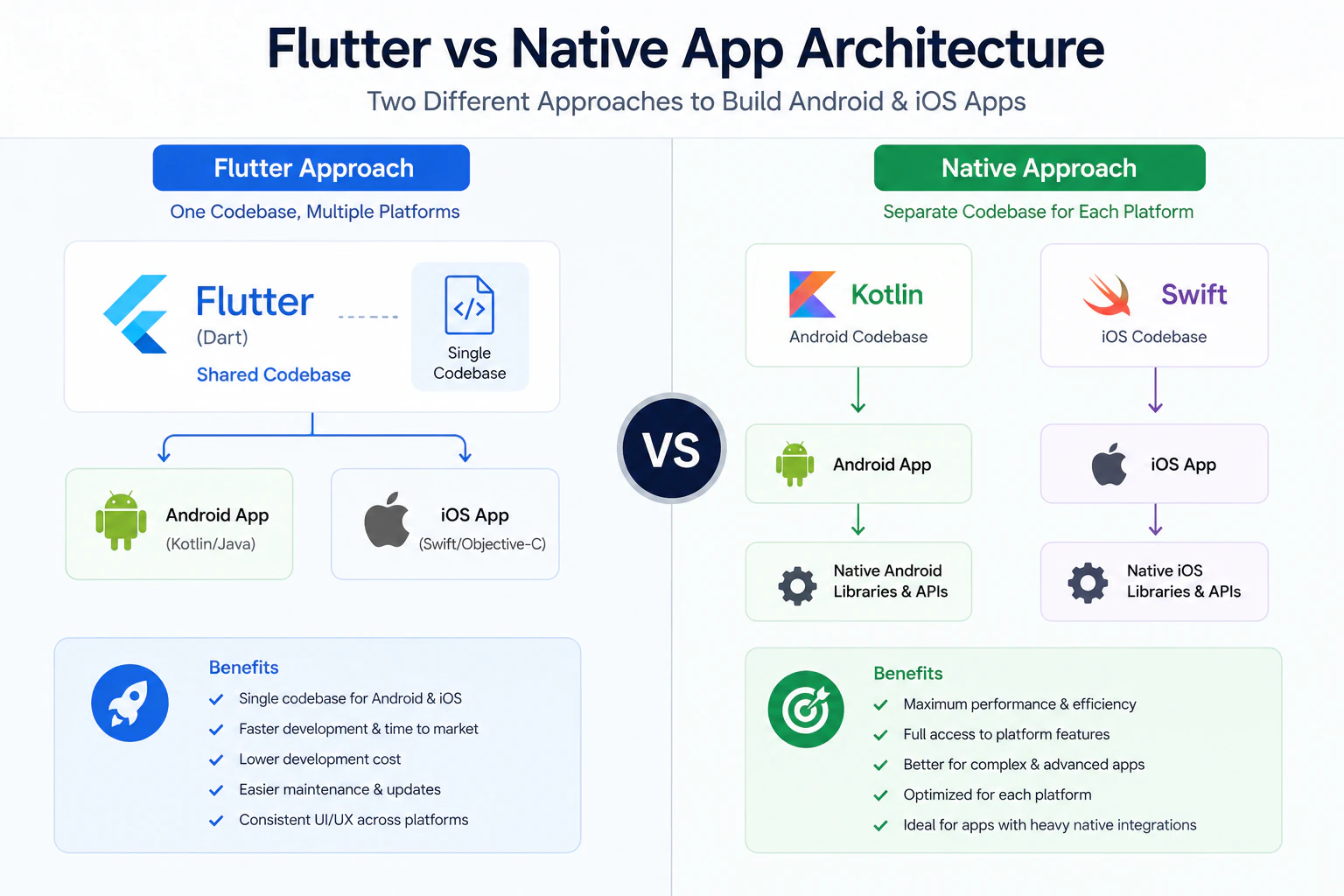
Flutter is a cross-platform application development framework that allows developers to build Android and iOS applications from largely the same codebase.
Instead of developing one application separately for Android and another for iOS, a development team can create much of the application once and deploy it across both platforms.
Flutter is particularly useful for startups and businesses that want to launch on Android and iOS without maintaining two completely separate applications.
Typical Flutter projects include:
- Business and customer applications
- E-commerce and booking apps
- IoT companion applications
- BLE and Wi-Fi device-control apps
- Internal business tools
- Dashboards and monitoring applications
- Startup MVPs
What Is Native App Development?
Native development means building an application specifically for a particular operating system.
For Android, native applications are commonly developed using Kotlin and the Android platform tools.
For iOS, developers commonly use Swift and SwiftUI.
If your business needs both Android and iOS applications, native development generally means maintaining separate projects for the two platforms.
This gives developers very direct access to platform-specific APIs, features, and user-interface capabilities.
Flutter vs Native Development
The differences become clearer when we compare the two approaches.
| Factor | Flutter | Native |
|---|---|---|
| Codebase | Mostly shared across Android & iOS | Separate Android & iOS projects |
| Development speed | Usually faster for two-platform projects | More development work for two platforms |
| Development cost | Often lower | Often higher |
| Performance | Excellent for many business applications | Maximum platform-specific control |
| UI consistency | Easier across platforms | Designed specifically for each platform |
| Platform APIs | Available through Flutter packages/native integration | Direct access |
| Maintenance | One main codebase | Multiple codebases |
| Best suited for | Startups, business apps, IoT apps, MVPs | Highly platform-specific applications |
1. Development Cost
Cost is often one of the biggest considerations for businesses.
With Flutter, much of the application logic and interface can be shared between Android and iOS. This can reduce duplicated development work.
Native development requires separate Android and iOS implementations when both platforms are required.
For a startup launching its first product, Flutter can therefore be an attractive option because the same development effort can cover a larger portion of the mobile market.
However, choosing technology based only on initial development cost isn't recommended. Long-term maintenance and technical requirements also matter.
2. Development Time
Flutter can significantly simplify development when an application needs to launch on both Android and iOS.
A shared codebase means developers don't need to recreate every feature independently for each operating system.
For businesses trying to:
- Validate an idea quickly
- Build an MVP
- Launch on Android and iOS together
- Reduce time to market
Flutter can be particularly effective.
Native development may take more time when two separate applications must be developed and tested.
3. Performance
Native development provides the closest integration with the underlying operating system and is an excellent choice when an application depends heavily on platform-specific functionality.
Flutter also provides strong performance and is suitable for a large range of modern applications.
For common business applications involving APIs, authentication, dashboards, databases, notifications, e-commerce, booking systems, or connected devices, Flutter can often provide the performance users expect.
For highly specialized applications with extensive platform-specific requirements, native development may be preferable.
4. User Interface and Experience
Flutter provides a rich UI framework that makes it possible to build modern interfaces and maintain a consistent design across Android and iOS.
This is useful for businesses that want their brand and application experience to remain similar across platforms.
Native development provides greater freedom to follow the exact design conventions of Android or iOS.
Neither approach automatically creates a better interface. The quality of the final experience depends heavily on good UI/UX design and implementation.
5. Maintenance and Future Updates
Mobile applications require ongoing maintenance.
Operating systems change, APIs evolve, new device sizes appear, and businesses continuously add features.
With Flutter, a shared codebase can simplify maintenance because many changes only need to be implemented once.
With separate native Android and iOS applications, updates may need to be implemented and tested independently.
For businesses planning to maintain both platforms with a smaller development team, this can make Flutter attractive.
6. Hardware and IoT Integration
Modern mobile applications increasingly communicate with physical devices.
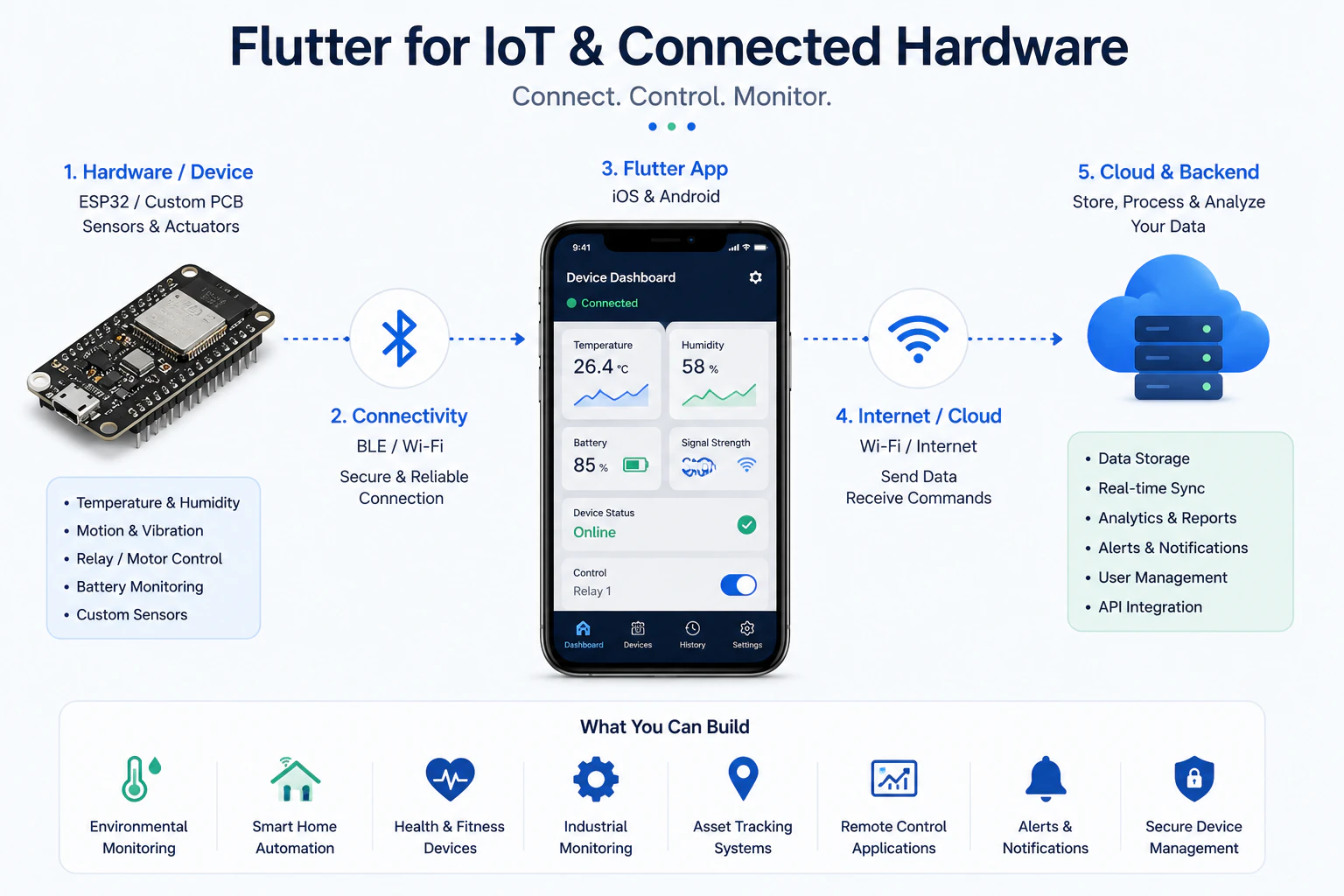
Examples include:
- Bluetooth Low Energy (BLE) devices
- Wi-Fi-connected products
- ESP32-based devices
- Sensors
- Smart-home products
- Vehicle electronics
- Industrial monitoring systems
- Wearable devices
Flutter can work well for many IoT companion applications and can communicate with devices using technologies such as BLE, Wi-Fi, MQTT, REST APIs, and cloud services.
However, some products require specialized platform-level functionality. In those situations, Flutter can still use native Android or iOS code where necessary.
This hybrid capability means businesses don't always have to choose completely between Flutter and native development.
7. App Store and Play Store Deployment
Both Flutter and native applications can be distributed through the major mobile app stores.
A production application still needs proper preparation for:
- Google Play Store submission
- Apple App Store submission
- Signing and certificates
- Privacy requirements
- Permissions
- Store listing assets
- Device testing
- Platform policies
Choosing Flutter does not remove these requirements. It mainly changes how the application itself is developed and maintained.
When Should You Choose Flutter?
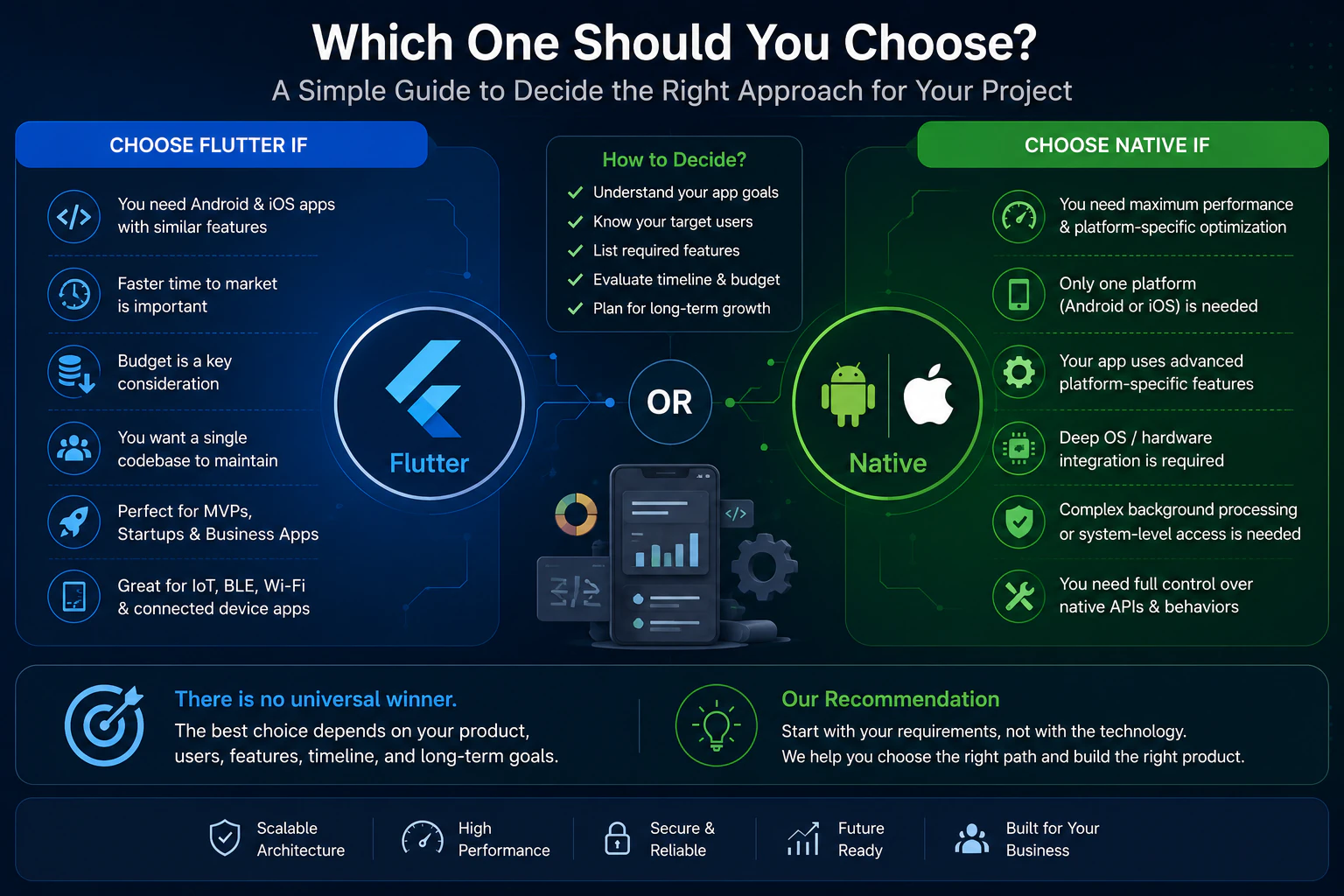
Flutter is worth considering when your business needs Android and iOS applications and wants to reduce duplicated development effort.
It can be particularly suitable when:
- You need Android and iOS support.
- You want to launch an MVP quickly.
- Development budget is important.
- Your application uses APIs or cloud services.
- You need a business, marketplace, dashboard, or customer application.
- You are developing an IoT companion application.
- You want to maintain a shared codebase.
For many startups and small-to-medium businesses, these advantages can make Flutter a practical choice.
When Should You Choose Native Development?
Native development may be better when your application has extensive platform-specific requirements.
Consider native development when:
- You are building only for Android or only for iOS.
- Your product requires deep integration with platform-specific APIs.
- Platform-specific behavior is central to the application.
- You require maximum control over the operating system integration.
- Maintaining separate Android and iOS applications is acceptable for your budget and team.
Can Flutter and Native Code Be Used Together?
Yes.
Choosing Flutter doesn't mean native development can never be used.
A Flutter application can integrate native Kotlin or Swift code when a feature requires deeper platform-level functionality.
This can provide a useful balance: businesses can maintain a largely shared Flutter application while implementing specific functionality natively where necessary.
Flutter or Native: Which Is Better?
There isn't one answer for every application.
For a business that wants to launch a professional application on both Android and iOS efficiently, Flutter is often an excellent starting point.
For applications requiring extensive platform-specific capabilities or maximum native control, native Kotlin and Swift development may be the better approach.
The decision should ultimately be based on the application's actual technical requirements rather than simply choosing the most popular technology.
How Pak IT Corner Can Help
At Pak IT Corner, we develop mobile applications based on the requirements of the product rather than forcing every project into the same technology stack.
Our mobile development capabilities include:
- Flutter and Dart development
- Native Android development with Kotlin
- Native iOS development with Swift and SwiftUI
- REST and GraphQL API integration
- Backend and cloud integration
- BLE and Wi-Fi device communication
- IoT companion applications
- Push notifications
- Application testing
- Google Play and Apple App Store deployment support
For connected products, we can also work across the application and hardware interface, helping create reliable communication between mobile applications and physical devices — see examples in our portfolio.
Frequently Asked Questions
Is Flutter good for business applications?
Yes. Flutter can be suitable for many business applications, including customer apps, dashboards, marketplaces, booking systems, internal tools, and connected-device applications.
Is Flutter cheaper than native development?
For projects requiring both Android and iOS, Flutter can often reduce development and maintenance effort because much of the codebase is shared. Actual project cost still depends on features and complexity.
Can Flutter apps communicate with Bluetooth devices?
Yes. Flutter applications can communicate with BLE devices and are commonly used for IoT and connected-hardware applications.
Can I publish a Flutter app on both Google Play and the App Store?
Yes. Flutter applications can be prepared and distributed through both Google Play and Apple's App Store.
Should a startup choose Flutter or native development?
For many startups that need both Android and iOS versions, Flutter can be a practical choice because it supports faster cross-platform development. Native development may be preferable when the product has significant platform-specific requirements.
Can an existing native app be rebuilt using Flutter?
Yes, but whether rebuilding is worthwhile depends on the existing application's architecture, features, maintenance problems, and future requirements.
Ready to Build Your Mobile App?
If you're planning a new mobile application and aren't sure whether Flutter, native Android, or native iOS development is the right approach, Pak IT Corner can help evaluate the requirements before development begins.
The goal should not simply be choosing Flutter or native — it should be choosing the technology that gives your product the right balance of performance, development time, maintainability, and cost.