
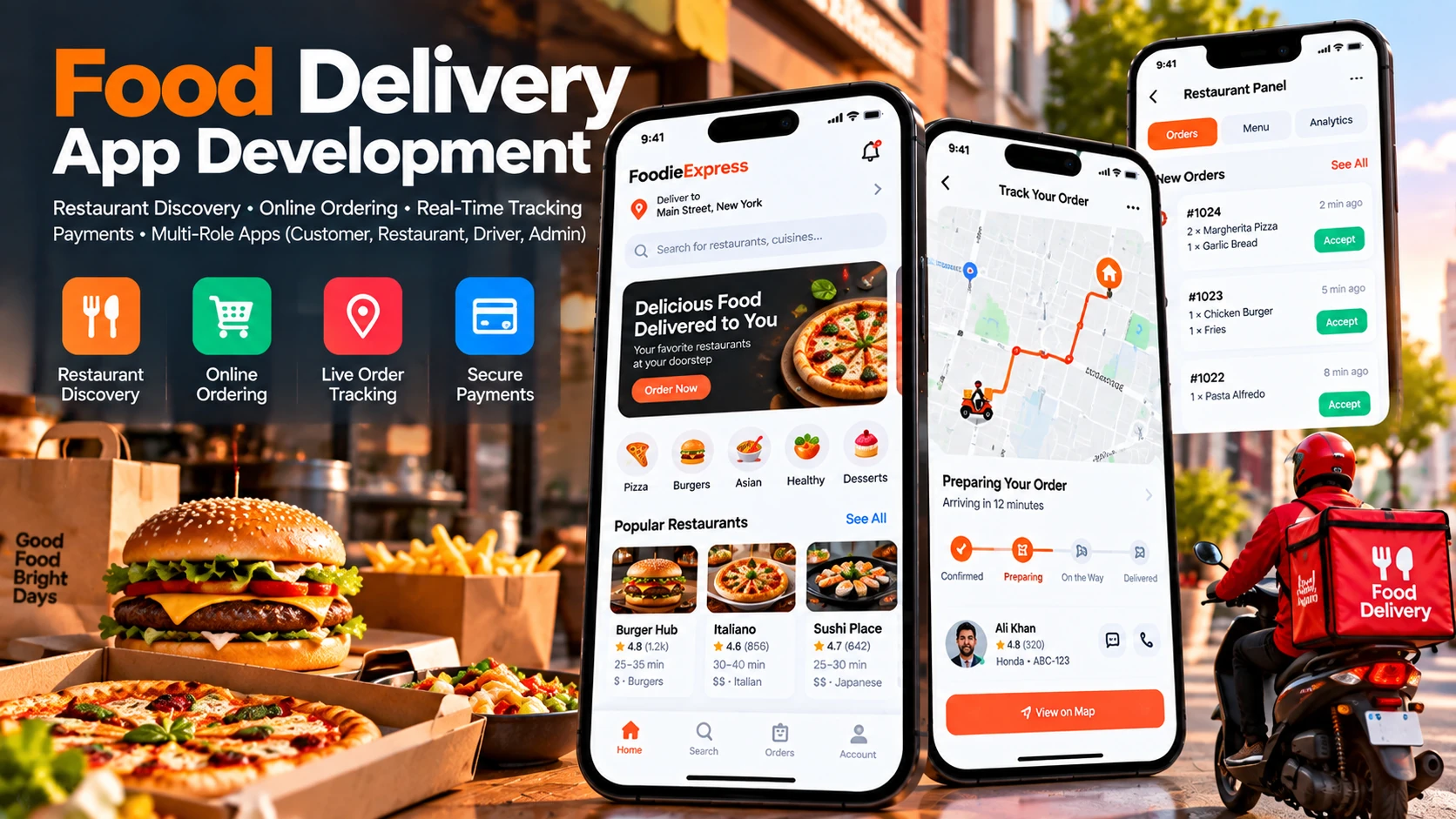
On-demand food delivery is one of the most operationally demanding categories in mobile software engineering. Unlike a conventional retail e-commerce application — where physical shipments occur over days via third-party couriers — a food delivery transaction must be placed, accepted, prepared, dispatched, and delivered within 30 to 45 minutes.
From an architectural standpoint, building a food delivery service is not a single software project. It is a distributed multi-sided ecosystem requiring four separate, tightly synchronized applications operating in near real-time: a customer ordering app, a kitchen tablet panel, a courier navigation app, and an operational admin dashboard.
A single communication failure across this chain — such as an unacknowledged order notification in a noisy kitchen or a five-minute delay in driver dispatch — results in cold meals, frustrated customers, and lost revenue.
This technical guide details the complete development lifecycle for a commercial on-demand food delivery platform, breaking down core features across all four stakeholder apps, backend state machine architecture, mapping integrations, and realistic cost factors.
The 4 Pillars of a Food Delivery Platform
A functional food delivery ecosystem requires dedicated software interfaces for each participant in the delivery chain:
| Application Pillar | Target User & Device | Primary Functional Responsibilities |
|---|---|---|
| 1. Customer Ordering App | End-consumers (iOS & Android) | Restaurant discovery, interactive menus, customizable modifiers, live order tracking, cart & checkout, digital payments, reviews |
| 2. Restaurant Partner Panel | Kitchen managers & staff (Tablet / Web) | Real-time order audio alerts, kitchen prep countdown timers, item 86/stock toggles, menu pricing, kitchen thermal printer integration |
| 3. Courier Delivery App | Independent drivers (iOS & Android) | Driver onboarding & KYC, order acceptance broadcast, turn-by-turn GPS routing, pickup verification, proof-of-delivery photo/PIN, earnings ledger |
| 4. Super Admin Backoffice | Platform operations team (Web Dashboard) | City management, merchant onboarding, commission rates, split disbursement payouts, live driver fleet heatmap, customer dispute resolution |
Core Features Across the Ecosystem
1. Customer Mobile Application
The consumer-facing app is focused on frictionless discovery and complete transparency:
- Geolocated Restaurant Discovery: Automatically filters open restaurants and estimated transit times based on the customer's current GPS location or saved delivery address.
- Dynamic Menu Modifiers: Food ordering requires nested customizations — choosing pizza sizes, crust options, required sauce selections, and optional extra toppings — requiring strict client-side form validation before cart submission.
- Multi-Gateway Checkout: Integrated Apple Pay, Google Pay, credit cards, and cash-on-delivery (COD) fallback options.
- Real-Time Visual Order State: Continuous visual feedback across the order lifecycle: Order Confirmed → In the Kitchen → Driver Assigned → Out for Delivery → Arriving → Delivered.
- Live Map Tracking: Smooth vehicle icon interpolation across an embedded Mapbox or Google Map canvas showing the driver's approach in real time.
2. Restaurant Partner Tablet & Web Panel
Kitchen environments are fast, noisy, and high-pressure. The merchant UI must prioritize audio alerts and clear touch targets:
- Persistent High-Decibel Audio Alerts: Audio loops that sound continuously until kitchen staff tap to acknowledge new incoming tickets.
- Preparation Time Calibration: Staff can accept orders with custom prep windows (e.g., 15 min, 25 min) or reject tickets during peak kitchen rushes.
- Live Menu & SKU Toggles: Immediate ability to "86" (mark out of stock) sold-out ingredients or pause incoming orders during operational overload.
- Kitchen Thermal Printing: Automatic receipt printing via Bluetooth or LAN ESC/POS thermal printers (Epson, Star Micronics) for kitchen cooks.
3. Courier Delivery Driver App
Drivers operate vehicles while interacting with the app, demanding simple one-tap interactions and reliable background location tracking:
- Broadcast & Order Acceptance: Drivers receive pop-up delivery offers showing pickup venue, drop-off neighborhood, estimated transit distance, and guaranteed payout, with a 30-second countdown timer.
- Turn-by-Turn Navigation Integration: Deep-linking into Google Maps, Waze, or Apple Maps, or embedding the Mapbox Navigation SDK directly within the application.
- Proof of Delivery: Photo capture of drop-off doorstep, customer signature, or one-time numeric verification PIN (OTP) entered by the driver to confirm delivery handoff.
- Real-Time Earnings Tracker: Transparent daily, weekly, and instant payout balances with detailed tip breakdowns.
4. Super Admin Management Dashboard
The administrative portal gives operators centralized control over business performance:
- Live Fleet Dispatch Heatmap: Visualizing active couriers, unassigned orders, and high-demand geographic clusters to manage platform supply and demand.
- Financial Commission Engine: Automated commission calculation per merchant contract (e.g., 15%–25%) and platform service fees per delivery.
- Dispute Resolution Center: Customer refund requests, missing item reports, and driver compensation adjustments.
System Architecture: The Real-Time Order State Machine
The core technical challenge in food delivery development is managing the distributed order state machine across multiple concurrent clients.
| Order State | Triggering Action | System Event & Data Broadcast |
|---|---|---|
| 1. PENDING_PAYMENT | Customer taps "Place Order" | Payment intent created with Stripe; inventory checked. |
| 2. PLACED | Payment successfully captured/authorized | WebSocket event emitted to Restaurant tablet; push alert triggered. |
| 3. ACCEPTED | Restaurant taps "Accept (20 Mins)" | Customer notified of prep time; dispatch algorithm queues nearby drivers. |
| 4. DRIVER_ASSIGNED | Nearby driver accepts broadcast | Driver app receives pickup route; customer map displays assigned driver. |
| 5. IN_TRANSIT | Driver confirms order pickup | Driver GPS stream active; customer map shows live route approach. |
| 6. DELIVERED | Driver submits delivery proof/PIN | Order completed; escrow funds disbursed; customer prompted for tip & review. |
Technical Stack & Infrastructure
- Mobile Frontend: Built using Flutter to develop cross-platform iOS and Android customer and driver apps from a unified codebase, significantly reducing development maintenance. Learn more in our comparison of Flutter vs. Native App Development.
- Backend API: Node.js (NestJS) or Go (Golang) for high-concurrency event routing and low-latency request processing.
- Real-Time Communication: WebSockets (Socket.io) or MQTT brokers handling real-time driver coordinates and order status broadcasts.
- Geospatial Database: PostgreSQL with the PostGIS extension, enabling spatial queries (e.g., finding all available couriers within a 3 km radius using `ST_DWithin`). Redis is utilized for high-frequency driver coordinate caching with TTL expiration.
- Split Payment Gateway: Stripe Connect or Adyen for Platforms managing automated payouts to merchant bank accounts and driver debit cards while collecting platform commission fees.
Development Roadmap & MVP Milestones
Attempting to launch a fully automated global delivery network in a single phase is an operational recipe for failure. Successful platforms launch with a focused, localized MVP.
| Phase | Scope & Functional Focus | Estimated Duration |
|---|---|---|
| Phase 1: Design & User Journeys | Figma prototypes for all 4 apps, order state flowcharts, API schemas | Weeks 1–4 |
| Phase 2: Backend & Merchant Web Panel | PostGIS database setup, menu management, order placement APIs, restaurant panel | Weeks 5–9 |
| Phase 3: Customer & Driver Apps | Customer mobile app, cart, Stripe payments, driver app with GPS broadcast, WebSocket server | Weeks 10–15 |
| Phase 4: Admin & End-to-End Testing | Admin dispatch console, split payment testing, field GPS testing, App Store submission | Weeks 16–18+ |
Realistic Cost Factors in Food Delivery Development
Engineering a four-part delivery platform involves several fundamental cost variables:
- Number of Application Builds: Developing synchronized Customer, Driver, Restaurant, and Admin applications requires dedicated frontend and backend workflows across mobile and web. Review our detailed benchmarks on Mobile App Development Costs in 2026.
- Map & Geocoding API Volume: Mapbox and Google Maps charge per API call for Geocoding, Places Autocomplete, and Directions. Implementing client-side caching for restaurant addresses and throttling driver GPS pings to 3–5 second intervals prevents runaway monthly mapping bills.
- SMS & Communication Providers: One-time password (OTP) verification for drivers and customers via Twilio or MessageBird incurs per-message carrier fees.
- Cloud Server Sizing: Real-time WebSocket connections and PostGIS spatial queries require clustered server instances capable of handling simultaneous lunch and dinner traffic spikes. Choosing between a web portal or native mobile experiences is discussed in our guide on Web Apps vs. Mobile Apps.
Frequently Asked Questions
How many separate applications make up a food delivery platform?
A standard on-demand food delivery ecosystem comprises four distinct components: a Customer App (iOS and Android), a Restaurant Management Panel (tablet and web), a Delivery Driver App (iOS and Android with GPS tracking), and a Central Super Admin Dashboard (web) for overall platform governance.
How does real-time order tracking work technically?
The delivery driver's mobile device broadcasts GPS coordinates to the backend via low-latency WebSockets or MQTT. The server performs geospatial calculations, updates the order state machine, and streams live coordinates to the customer's map view via a persistent WebSocket connection.
Which mapping and location APIs are recommended for food delivery apps?
Google Maps Platform (Places SDK, Geocoding, Directions API, and Navigation SDK) and Mapbox (Navigation SDK, Geocoding, and Mapbox Matrix API) are industry standards, offering accurate route optimization and turn-by-turn navigation for drivers.
How are payments split between restaurants, drivers, and the platform?
Modern platforms use multi-party payment processors like Stripe Connect or Adyen for Platforms. When an order is placed, customer funds are held in escrow. Upon verified delivery, the system automatically disburses payments to the restaurant and driver while retaining the platform's commission fee.
What is the typical development timeline for a food delivery MVP?
Developing a synchronized MVP covering the customer app, restaurant tablet interface, driver app, and basic admin backend typically takes between 14 to 20 weeks of multidisciplinary engineering.
Engineer Your Food Delivery Platform with Pak IT Corner
Building an on-demand delivery ecosystem requires proven full-stack mobile and backend engineering capabilities. At Pak IT Corner, we architect and develop scalable multi-platform applications across iOS, Android, and the web, integrating real-time geospatial tracking, payment split gateways, and high-concurrency backends.
Review our engineering work in our portfolio, explore our structured development packages, or connect with our technical team to discuss your project requirements.