
Choosing between a web app and a mobile app is one of the most important decisions when starting a digital product.
Both can provide powerful user experiences, automate business processes, connect customers with services, and support business growth. However, they differ significantly in accessibility, development cost, performance, device integration, offline capabilities, maintenance, and user experience.
The right choice depends on how your customers will use the product, which features you need, your budget, and your long-term business strategy.
This guide explains the differences between web apps and mobile apps and helps you determine which approach is right for your business.
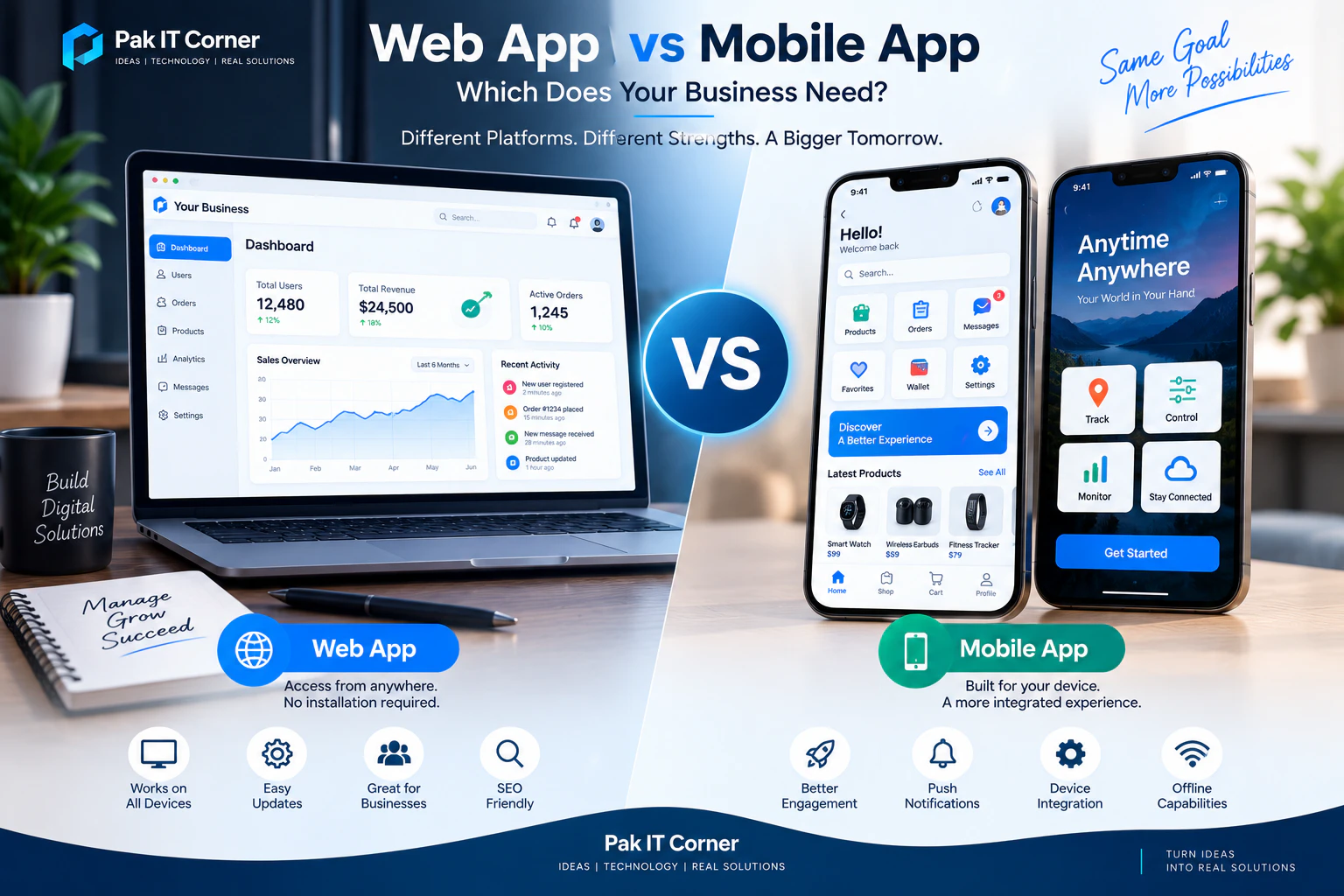
What Is a Web App?
A web application is software that users access through a web browser.
Instead of installing an application from an app store, users simply open a website and interact with the application.
Common examples of web applications include:
- Business dashboards
- Customer portals
- SaaS platforms
- Booking systems
- Inventory management systems
- E-commerce platforms
- CRM systems
- Analytics dashboards
- Project management tools
- Online marketplaces
Modern web applications can provide highly interactive experiences similar to desktop or mobile software.
Technologies commonly used for web application development include React, Next.js, JavaScript, Node.js, APIs, SQL databases, Firebase, and cloud services.
What Is a Mobile App?
A mobile application is software designed specifically for smartphones and tablets.
Users normally download mobile apps through platforms such as the Apple App Store or Google Play.
Mobile applications can be developed natively for a specific operating system or with cross-platform technologies such as Flutter.
Native iOS applications commonly use Swift or SwiftUI, while native Android applications commonly use Kotlin.
Mobile apps are particularly useful when a product requires frequent user interaction, notifications, offline operation, location services, Bluetooth communication, camera access, or integration with smartphone hardware.
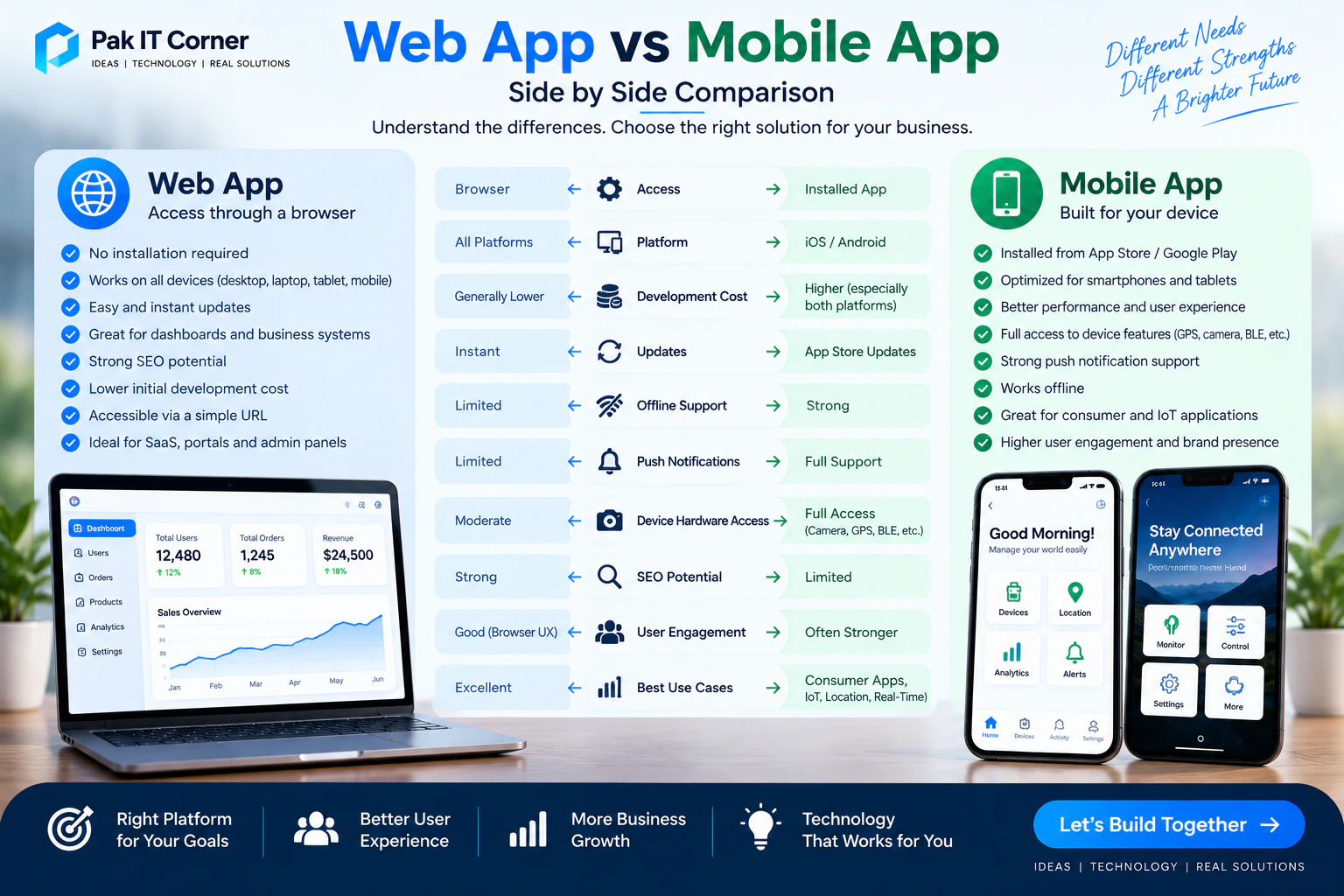
Web App vs Mobile App: Quick Comparison
| Factor | Web App | Mobile App |
|---|---|---|
| Installation | No installation required | Installed on device |
| Access | Through browser | Through app icon |
| Platform | Works across browsers/devices | iOS, Android, or both |
| Development Cost | Often lower initially | Can be higher |
| Updates | Immediate | App updates may be required |
| Offline Operation | Limited to moderate | Strong |
| Push Notifications | Possible but more limited | Strong support |
| Device Hardware Access | Limited/moderate | Extensive |
| Bluetooth Integration | More limited | Strong |
| GPS | Available | Strong integration |
| Camera | Available | Strong integration |
| Performance | Excellent for many applications | Excellent |
| App Store Presence | No | Yes |
| SEO Potential | Strong | Limited |
| User Engagement | Good | Often stronger |
| IoT Integration | Useful for dashboards/cloud control | Excellent for direct device control |
Neither option is automatically better. The best choice depends on the product.
Consider How Your Users Will Access the Product
Start by asking a simple question:
How will people actually use the product?
If users mainly access your platform from laptops or desktop computers during work, a web application may be the better solution.
For example, an inventory management dashboard used by office staff may not need a dedicated mobile application.
However, if users need frequent access while moving around, a mobile app may provide a better experience.
Examples include:
- Fitness applications
- Delivery applications
- GPS tracking applications
- Smart-home controls
- Vehicle tracking systems
- IoT companion apps
- Field-service applications
- Healthcare monitoring apps
Understanding the user's environment is more important than simply choosing the newest technology.
Accessibility
One of the biggest advantages of a web application is accessibility.
Users can access it by entering a URL into a browser.
There is no need to:
- Visit an app store
- Download an application
- Install software
- Wait for updates
This makes web applications particularly useful when you want users to start using a service immediately.
Mobile applications require installation, but once installed, they provide fast and convenient access directly from the user's home screen.
For products used frequently, that convenience can significantly improve engagement.
Development Cost
Development cost is another major consideration.
A web application often requires one primary application that works across desktop and mobile browsers.
A mobile product may require support for both Android and iOS.
If separate native applications are developed for each platform, development and maintenance costs can increase.
Cross-platform frameworks such as Flutter can reduce this difference by allowing developers to build Android and iOS applications from a largely shared codebase.
The final cost depends more on features and complexity than on the platform alone.
A simple mobile application can cost less than a complicated web platform, while a sophisticated SaaS web application can cost significantly more than a basic mobile app.
Development Time
Web applications can often be launched relatively quickly because users access the latest version directly from the server.
Mobile apps involve additional steps such as:
- Device testing
- Platform-specific configuration
- App signing
- Store preparation
- App Store or Google Play submission
- Store review
Cross-platform development can reduce mobile development time, particularly when both Android and iOS are required.
For startups, the fastest solution is often to build the smallest product capable of validating the business idea rather than trying to develop every possible feature immediately.
Updates and Maintenance
Web applications have a major advantage when it comes to updates.
When developers deploy a new version to the server, users generally receive the new experience immediately.
They do not need to manually update anything.
Mobile apps may require users to download updates through an app store, although many devices handle updates automatically.
Mobile applications also need to remain compatible with operating-system updates, new devices, screen sizes, and changing store requirements.
Both platforms require ongoing maintenance, but the maintenance process is different.
User Experience
Mobile applications can provide highly polished experiences designed specifically for touchscreens.
They can use:
- Gestures
- Haptic feedback
- Native navigation
- Camera
- Microphone
- GPS
- Bluetooth
- Biometrics
- Local storage
- Background services
- Push notifications
This makes mobile applications particularly strong when the product depends heavily on smartphone capabilities.
Web applications can also provide excellent interfaces, especially for dashboards, business systems, administration panels, SaaS platforms, and content-heavy products.
The right interface depends on the user's workflow.
Device Hardware Access
This is one of the biggest differences between web and mobile applications.
Mobile applications generally have deeper access to smartphone hardware and operating-system features.
Depending on the platform and permissions, mobile apps can interact with:
- Bluetooth
- GPS
- Camera
- Microphone
- NFC
- Biometrics
- Motion sensors
- Local storage
- Background processes
- Push notification services
Browsers support some hardware functionality, but access can vary between browsers and operating systems.
If your product depends heavily on device hardware, a mobile application is usually the stronger choice.
Web App vs Mobile App for IoT Products
IoT products are a good example of situations where the decision depends on system architecture.
Consider an ESP32-based smart device.
A mobile application could communicate directly with the ESP32 using Bluetooth Low Energy.
The architecture might look like:
ESP32 → BLE → Mobile App
This is useful for:
- Initial device setup
- Wi-Fi provisioning
- Local control
- Configuration
- Reading sensor data
- Troubleshooting
If the ESP32 sends information to a cloud server using Wi-Fi, users could also access that information through a web dashboard.
The architecture could become:
ESP32 → Wi-Fi → Cloud → Web Dashboard
Many professional IoT products therefore use both.
For example:
ESP32 → BLE → Mobile App
and
ESP32 → Wi-Fi → Cloud → Web Dashboard
The mobile app handles direct interaction while the web application provides remote monitoring, administration, analytics, and device management. Discover more in our IoT app development services.
Offline Operation
Mobile applications generally provide stronger offline capabilities.
They can store information locally on the device and continue operating when internet connectivity is unavailable.
This can be important for:
- Field-service applications
- Industrial systems
- IoT device configuration
- Remote areas
- Travel applications
- Data collection systems
Web applications traditionally depend more heavily on internet connectivity.
Modern technologies can provide offline caching and Progressive Web App functionality, but complex offline workflows are generally easier to implement reliably in mobile applications.
Push Notifications
Notifications can be extremely important for user engagement.
Mobile apps can send push notifications for events such as:
- New messages
- Security alerts
- Device alarms
- Order updates
- Sensor thresholds
- Appointment reminders
- System warnings
- Tracking events
For an IoT application, a cloud server might detect abnormal temperature and send an immediate push notification to the user's phone.
Web push notifications are possible in many environments, but support and behavior vary.
For notification-heavy products, mobile applications generally provide a more consistent experience.
Search Engine Visibility
Web applications have an important advantage: search engine visibility.
Public web pages can be indexed by search engines and potentially appear in search results.
This is especially valuable for:
- E-commerce businesses
- Service marketplaces
- Public directories
- Content platforms
- Marketing websites
- Educational platforms
- Public SaaS landing pages
Mobile app content is generally less discoverable through traditional search engines.
If organic search is a major customer acquisition channel, a web presence is extremely valuable even when the primary product is a mobile app.
Web Apps for SaaS Products
Web applications are often ideal for SaaS platforms.
Examples include:
- CRM systems
- Project management platforms
- Accounting software
- Analytics dashboards
- Employee management systems
- Inventory systems
- Customer support platforms
These products are frequently used on larger screens and involve complex forms, tables, charts, reports, and administrative tools.
A web application provides users with convenient access from almost any computer without requiring installation.
Mobile Apps for Consumer Products
Mobile applications are often ideal for products that users interact with frequently throughout the day.
Examples include:
- Social applications
- Fitness apps
- Banking apps
- Delivery apps
- Navigation apps
- Smart-home apps
- Vehicle apps
- Tracking apps
Having the application directly on the user's phone makes repeated access easier.
Push notifications can also bring users back into the application when something important happens.
Web App vs Mobile App for E-Commerce
E-commerce businesses may benefit from both approaches.
A web store can attract customers through search engines, advertising, social media, and direct links.
Customers can make purchases without installing anything.
A mobile application can then provide additional benefits for repeat customers, including:
- Personalized offers
- Push notifications
- Saved preferences
- Faster checkout
- Loyalty programs
- Better repeat engagement
For a new e-commerce business, a responsive web application or website may therefore be the logical first step.
A dedicated mobile app can be introduced once there is enough repeat usage to justify it.
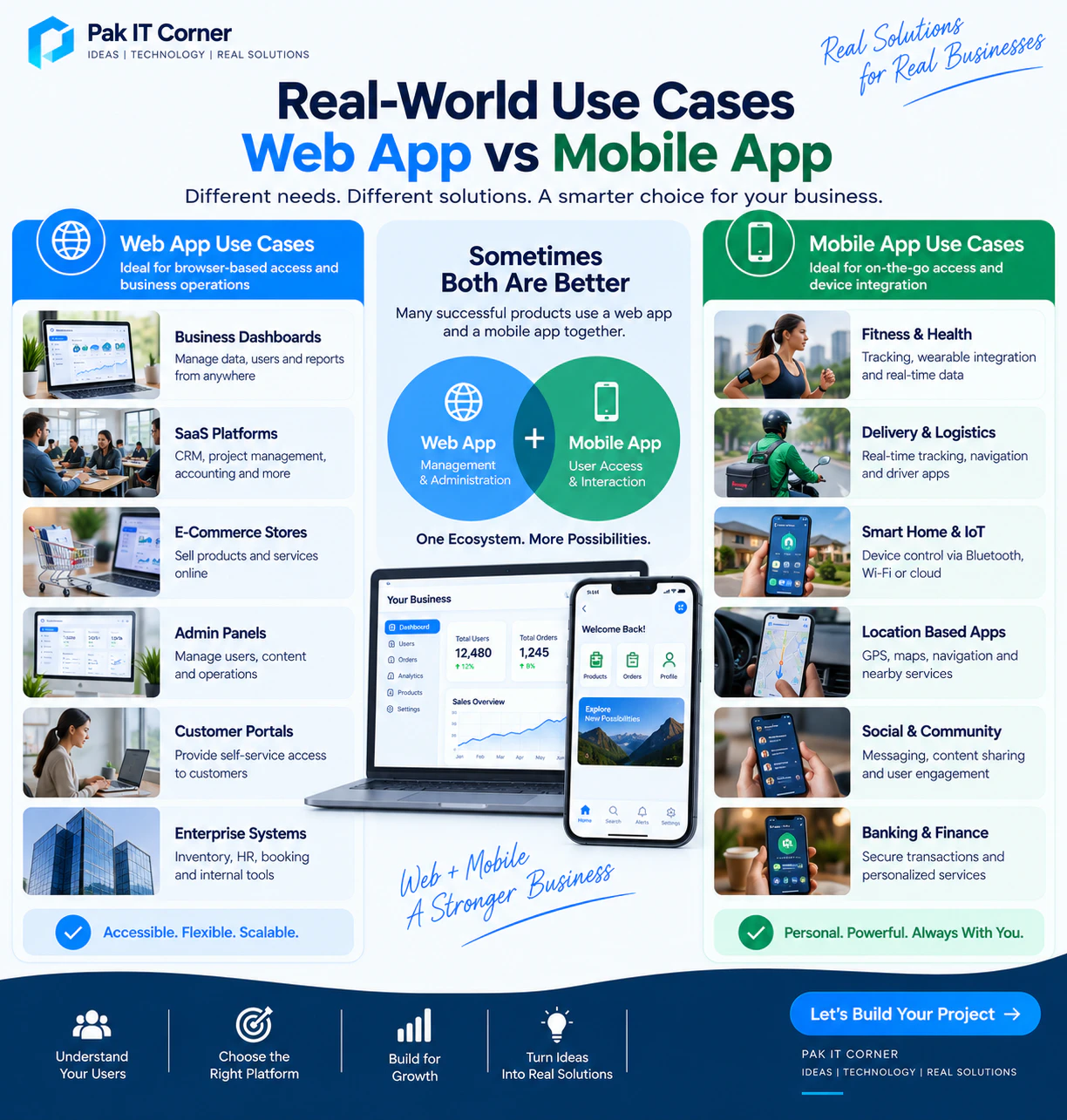
Which Is Better for a Startup?
Startups should avoid building technology simply because competitors have it.
The first goal should be validating the product.
Ask:
- What problem are we solving?
- Who are the first users?
- How will they use the product?
- Which features are essential?
- Which platform lets us test the idea efficiently?
If users mainly need dashboards or browser access, start with a web application.
If the product depends on smartphone hardware, notifications, location, Bluetooth, or frequent mobile interaction, start with a mobile application.
If both platforms are important, build a focused MVP first and expand after receiving real user feedback.
Progressive Web Apps
A Progressive Web App, or PWA, sits somewhere between a traditional website and a mobile application.
PWAs can provide features such as:
- Home-screen installation
- Offline caching
- Responsive layouts
- Fast loading
- Some notification capabilities
They can be useful when a business wants an app-like browser experience without immediately developing dedicated native applications.
However, PWAs do not always provide the same level of operating-system and hardware integration as native or cross-platform mobile applications.
For simple products they can be excellent.
For advanced hardware integration, background operation, or platform-specific functionality, a dedicated mobile application may still be preferable.
Performance
Modern web technologies can provide excellent performance for most business applications.
For dashboards, portals, booking systems, e-commerce platforms, and SaaS products, a properly optimized web application can feel extremely responsive.
Mobile applications may have an advantage when the product involves:
- Complex animations
- Intensive device processing
- Advanced camera functionality
- Continuous sensor access
- Bluetooth communication
- Background services
- Heavy platform integration
Performance requirements should be evaluated based on the actual application rather than assumptions about the platform.
Security
Both web and mobile applications can be secure when designed correctly.
Security should be considered from the beginning.
Important measures may include:
- HTTPS
- Secure authentication
- Authorization
- API security
- Encrypted communication
- Secure token handling
- Protected credentials
- Input validation
- Rate limiting
- Database security
- Secure cloud configuration
Mobile apps should not contain sensitive server credentials directly in the application.
Web applications should also avoid exposing sensitive backend functionality through poorly protected APIs.
The platform alone does not determine security. Architecture and implementation matter much more.
Backend Development
Many modern applications require a backend regardless of whether the user interface is web or mobile.
A backend may handle:
- User accounts
- Authentication
- Databases
- Payments
- Notifications
- Device data
- File storage
- Business logic
- Analytics
- APIs
The same backend can often serve both a web application and a mobile application.
For example:
Mobile App → API → Backend
and
Web App → API → Same Backend
This architecture makes it easier to expand the product later.
Admin Dashboards
Even when the main product is a mobile application, businesses often need a web-based administration dashboard.
For example, a delivery application might include:
Customer Mobile App
Driver Mobile App
Web Admin Dashboard
The dashboard allows business staff to manage:
- Users
- Orders
- Payments
- Reports
- Notifications
- Support requests
- System settings
This is another reason many successful products eventually use both web and mobile technologies.
Should You Build Both?
Sometimes the best answer is yes, but not necessarily at the beginning.
Building both makes sense when different users have different needs.
For example, an IoT platform might use:
Mobile App
For device setup, Bluetooth communication, notifications, and everyday control.
Web Dashboard
For administrators, analytics, device fleets, reports, and account management.
A marketplace might use:
Mobile App
For customers and service providers.
Web Platform
For administration and business management.
Instead of asking whether web or mobile is universally better, determine which interface is best for each user.
Advantages of Web Apps
Web applications provide several important advantages:
- No installation required
- Accessible from many devices
- Easy to share through URLs
- Immediate updates
- Strong search-engine visibility
- Excellent for dashboards
- Excellent for SaaS products
- Often efficient for MVP development
- Centralized maintenance
These advantages make web applications especially attractive for business software and public platforms.
Disadvantages of Web Apps
Potential limitations include:
- Less direct hardware access
- More dependence on internet connectivity
- Browser compatibility considerations
- More limited background functionality
- Less consistent push-notification support
- Less app-store visibility
These limitations may be important for products that rely heavily on smartphone capabilities.
Advantages of Mobile Apps
Mobile applications offer:
- Excellent smartphone integration
- Strong offline support
- Push notifications
- Bluetooth connectivity
- GPS integration
- Camera access
- Biometric authentication
- Background functionality
- App Store and Google Play presence
- Convenient repeated access
These capabilities make mobile apps particularly suitable for consumer products and connected devices.
Disadvantages of Mobile Apps
Potential disadvantages include:
- Installation required
- App-store approval processes
- Platform-specific requirements
- Additional testing across devices
- Ongoing operating-system compatibility
- Potentially higher development cost when supporting multiple platforms
Cross-platform development can reduce some of these challenges.
How Much Does a Web App Cost?
The cost of web application development depends on the product.
A simple business portal may require relatively limited development, while a complex SaaS platform can involve:
- Multiple user roles
- Subscription billing
- Analytics
- Real-time communication
- Large databases
- Third-party integrations
- Administration dashboards
- Advanced security
The platform itself is only one part of the cost.
Features, architecture, design, testing, backend requirements, and integrations usually have a greater impact.
How Much Does a Mobile App Cost?
Mobile app development costs also vary significantly.
Important factors include:
- Number of screens
- Android, iOS, or both
- Native or Flutter development
- Backend requirements
- Authentication
- Payments
- Maps
- Notifications
- Bluetooth
- IoT integration
- Offline functionality
- Custom UI
- Third-party APIs
A carefully planned MVP can help reduce initial investment by focusing development on features that directly validate the product. Read our complete guide to mobile app development cost in 2026 for detailed pricing breakdowns.
Can a Web App Be Converted Into a Mobile App Later?
Yes.
A well-designed backend and API architecture can make future expansion much easier.
For example, a company may initially build:
Web App → Backend API
Later, it can add:
Mobile App → Same Backend API
This avoids rebuilding the entire system.
Planning the architecture properly from the beginning therefore provides significant long-term value.
Can You Build Web and Mobile Apps Together?
Yes.
A product can be designed with a shared backend that supports both interfaces.
For example:
Web App ↘
Backend + Database + APIs
Mobile App ↗
This approach allows users to access the same accounts and information from multiple platforms.
It is particularly useful for SaaS, IoT, e-commerce, healthcare, logistics, and business-management products.
How to Decide
Before choosing a platform, answer these questions:
- Who are the users?
- Where will they use the product?
- Will they primarily use phones or computers?
- Do they need to install the application?
- Is search-engine visibility important?
- Does the product require Bluetooth?
- Does it require GPS?
- Does it require camera or microphone access?
- Does it need push notifications?
- Does it need to work offline?
- Will users access it frequently?
- Do employees need a desktop dashboard?
- Is fast MVP development important?
- What is the available budget?
- Will the product eventually need both web and mobile interfaces?
- What does the long-term product roadmap look like?
These questions usually make the correct direction much clearer.
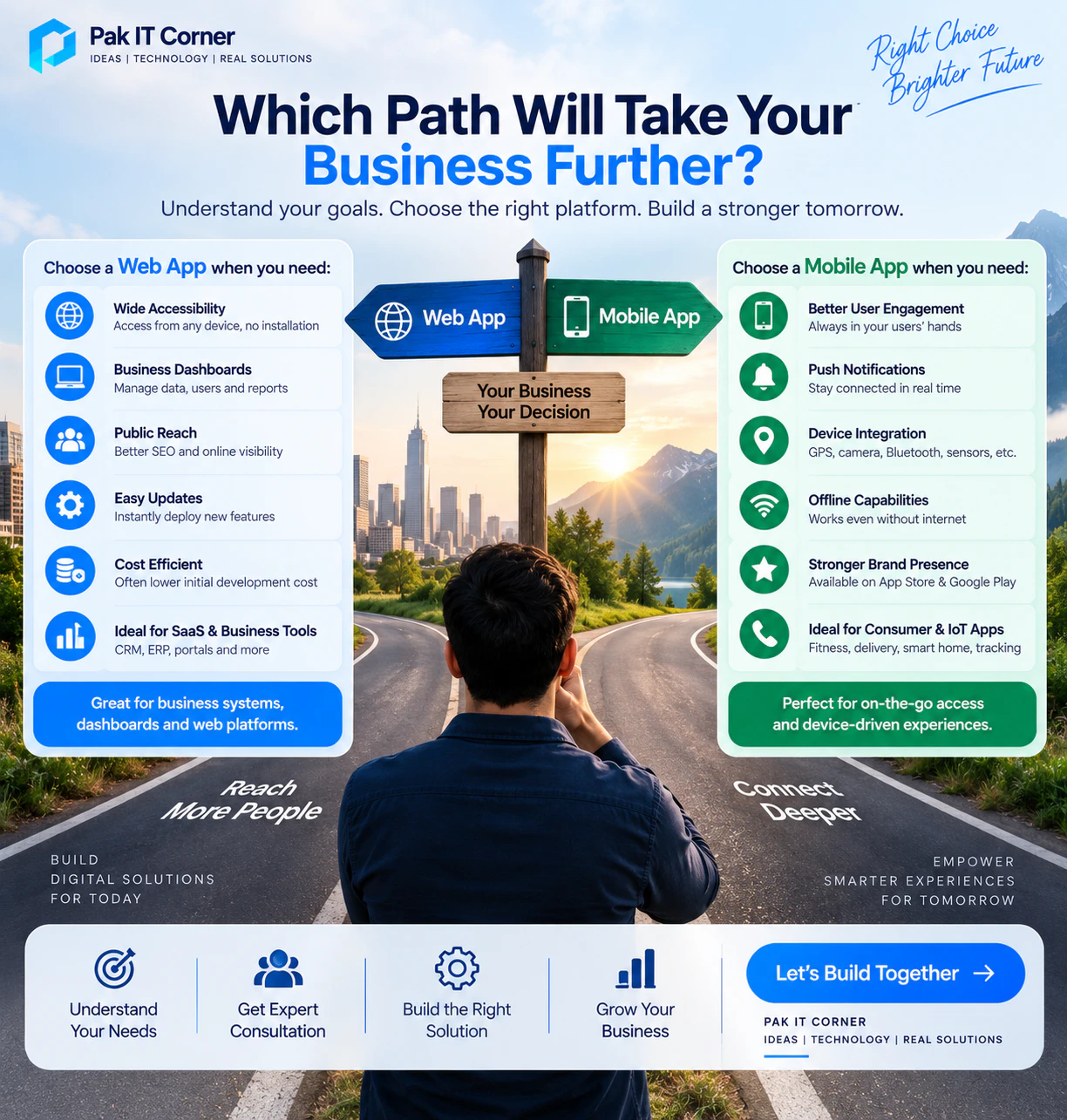
Web App vs Mobile App: Final Verdict
There is no universal winner.
Choose a web app when accessibility, search visibility, dashboards, SaaS functionality, desktop workflows, and easy updates are priorities.
Choose a mobile app when the product requires frequent smartphone interaction, push notifications, offline functionality, Bluetooth, GPS, camera access, or deeper hardware integration.
Choose both when different users need different interfaces or when your product has grown enough to benefit from a complete multi-platform ecosystem.
The best technology is not necessarily the most advanced option.
It is the one that solves the user's problem effectively while supporting your business goals.
How Pak IT Corner Can Help
Pak IT Corner develops complete digital products across web, mobile, cloud, and connected-device ecosystems.
Our development capabilities include:
- Web application development
- React and Next.js development
- Backend and API development
- Android app development
- iOS app development
- Flutter cross-platform development
- IoT companion applications
- BLE and Wi-Fi device integration
- ESP32-connected applications
- Cloud dashboards
- Admin panels
- Firebase integration
- MQTT and REST API integration
- Database development
- App Store and Google Play deployment
Whether your project requires a web application, mobile application, or a complete connected ecosystem, the architecture should be selected around the actual product requirements — see our work in the portfolio.
Frequently Asked Questions
Is a web app cheaper than a mobile app?
Often, but not always. A basic web application may cost less than developing separate Android and iOS applications. However, a complex web platform can cost more than a simple mobile app. Features and architecture are the biggest cost factors.
Should a startup build a web app or mobile app first?
Start with the platform your first users actually need. If they mainly work from computers, a web app may be best. If the product depends on smartphone usage, notifications, location, Bluetooth, or mobility, a mobile app may be more appropriate.
Can a mobile app and web app use the same backend?
Yes. A properly designed backend and API can serve web, Android, and iOS applications simultaneously.
Is Flutter suitable for building mobile apps for both Android and iOS?
Yes. Flutter allows developers to build applications for Android and iOS using a largely shared codebase while still supporting platform-specific functionality when necessary.
Are web apps good for IoT systems?
Yes. Web applications are excellent for IoT dashboards, analytics, device management, fleet monitoring, reports, and remote cloud control.
Are mobile apps better for IoT devices?
Mobile apps are particularly useful when direct communication with the device is required through technologies such as Bluetooth Low Energy. Many IoT products combine a mobile companion app with a cloud-based web dashboard.
Can a web application work offline?
Yes, to some extent. Technologies such as service workers and Progressive Web Apps can provide offline caching and functionality, but complex offline workflows are often easier to implement in dedicated mobile applications.
Do I need both Android and iOS apps?
Not necessarily. Your target audience should determine which platforms you support. Cross-platform technologies such as Flutter can also make supporting both platforms more efficient.
Can I start with a web app and add mobile apps later?
Yes. This is a common development strategy. Designing the backend and APIs correctly from the beginning makes future mobile development much easier.
Which is better for a SaaS business?
Web applications are usually the primary interface for SaaS products, particularly when users work from computers. A mobile application can later complement the platform when mobile access provides additional value.
Which option is best for my business?
The right choice depends on your users, required features, budget, timeline, hardware requirements, and long-term strategy. The decision should be based on how the product will actually be used rather than simply choosing web or mobile by default.
Ready to Build the Right Digital Product for Your Business?
Every successful digital product starts with selecting the right architecture for your users and business goals.
Pak IT Corner can help you plan, design, and develop web applications, mobile apps, and complete connected IoT ecosystems — built for scalability and performance.