
Choosing the right communication technology is one of the most important decisions when developing an Internet of Things (IoT) product. Two of the most widely used wireless technologies for connected devices are Bluetooth Low Energy (BLE) and Wi-Fi.
Both can connect smart hardware to mobile applications, but they are designed for different requirements.
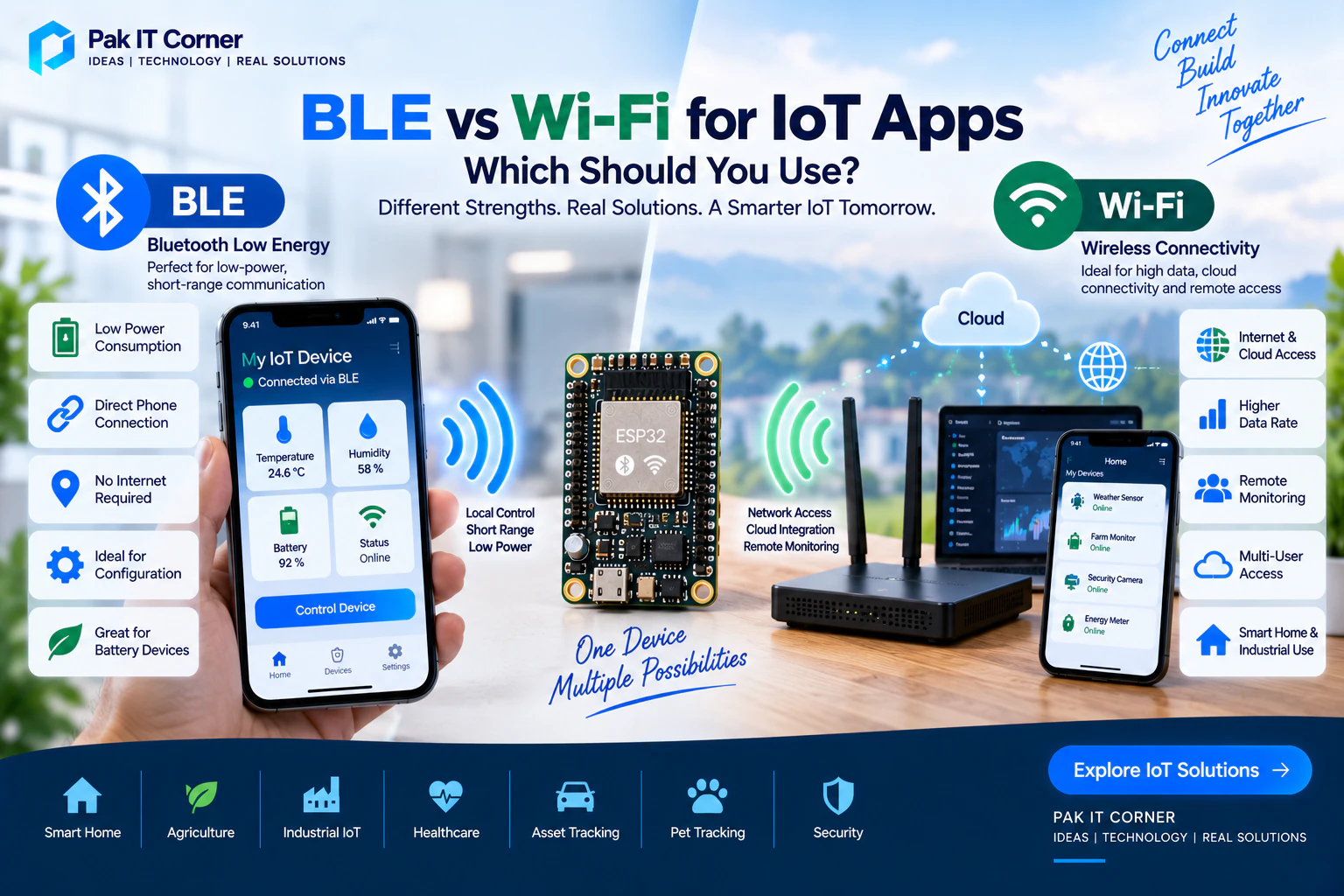
BLE is particularly effective for low-power, short-range communication between a device and a smartphone, while Wi-Fi is better suited to higher-data-rate communication, local networks, cloud connectivity, and remote access.
Many successful IoT products actually use both.
This guide compares BLE and Wi-Fi for IoT applications and explains how to choose the right approach for your connected product.
What Is Bluetooth Low Energy?
Bluetooth Low Energy, commonly called BLE, is a wireless communication technology designed for short-range communication with relatively low power consumption.
BLE is widely supported by modern smartphones, tablets, computers, and embedded devices.
It is commonly used in:
- Wearable devices
- Fitness trackers
- Health-monitoring devices
- Smart locks
- Sensors
- Asset trackers
- Portable electronics
- Battery-powered IoT devices
- Configuration tools
- Industrial monitoring devices
For many IoT products, BLE provides a convenient direct connection between the hardware and a mobile application.
What Is Wi-Fi?
Wi-Fi allows an IoT device to connect to a local wireless network and, when internet access is available, communicate with cloud services.
It is commonly used in:
- Smart-home devices
- Security systems
- Industrial monitoring
- Environmental monitoring
- Smart appliances
- Agricultural systems
- Energy monitoring
- Remote-control products
- Cloud-connected sensors
Wi-Fi is especially useful when users need to access their devices from outside Bluetooth range.
BLE vs Wi-Fi: Quick Comparison
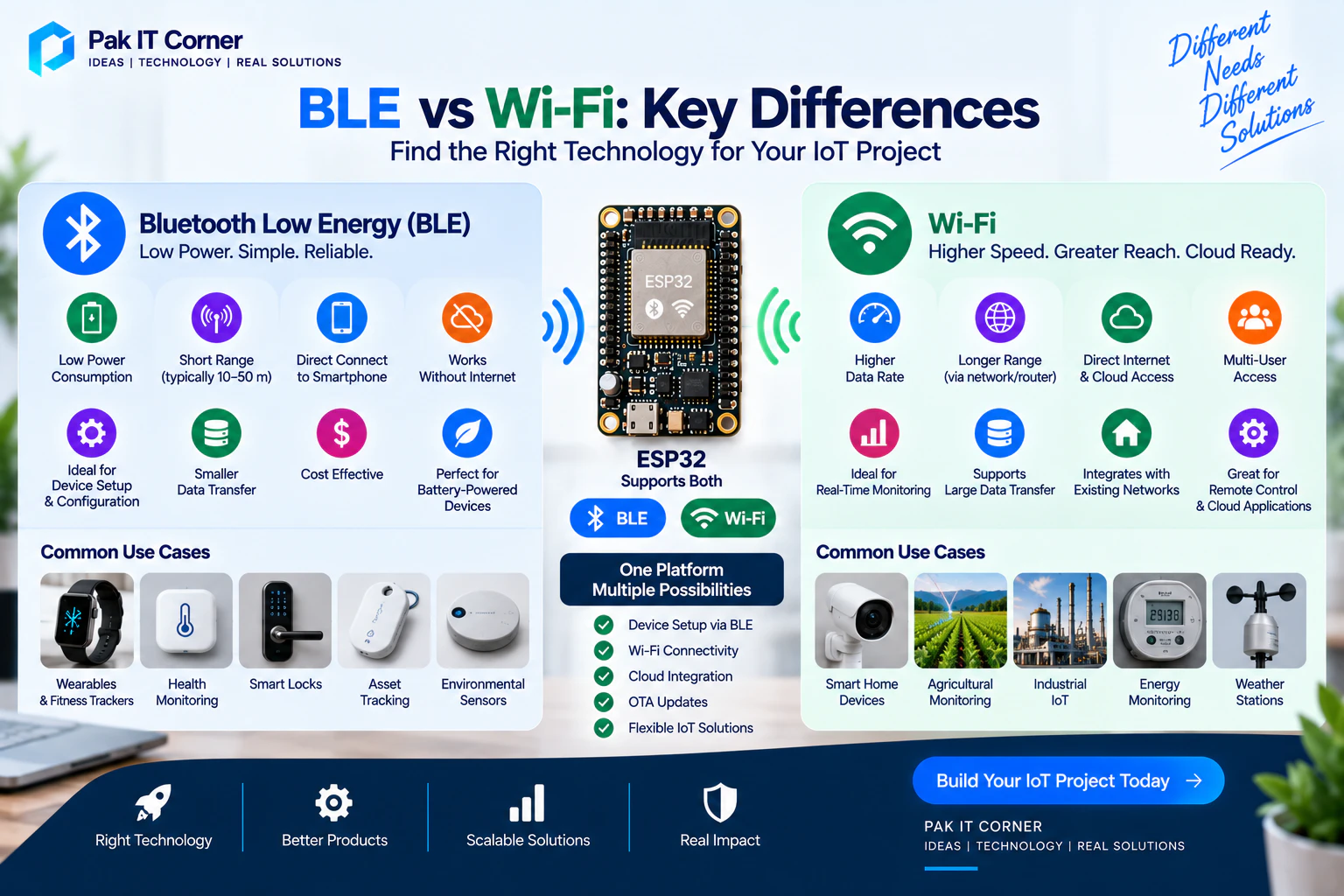
| Feature | BLE | Wi-Fi |
|---|---|---|
| Power consumption | Generally lower | Generally higher |
| Typical use | Direct device-to-phone communication | Network/cloud communication |
| Internet required | No | Not always, but commonly used |
| Smartphone connection | Direct | Usually through local network or cloud |
| Data rate | Lower | Higher |
| Battery-powered products | Excellent choice | Possible, but requires careful power management |
| Remote access | Usually requires a gateway | Excellent through internet/cloud |
| Device provisioning | Excellent | Usually requires network credentials |
| Large data transfer | Less suitable | Better |
| Cloud connectivity | Usually indirect | Direct |
| Setup complexity | Can be relatively simple | Requires network provisioning |
| Common IoT role | Setup, configuration, local control | Cloud, remote monitoring, larger data |
The correct choice depends on how the product will actually be used.
How BLE Works in an IoT Application
A typical BLE system may contain:
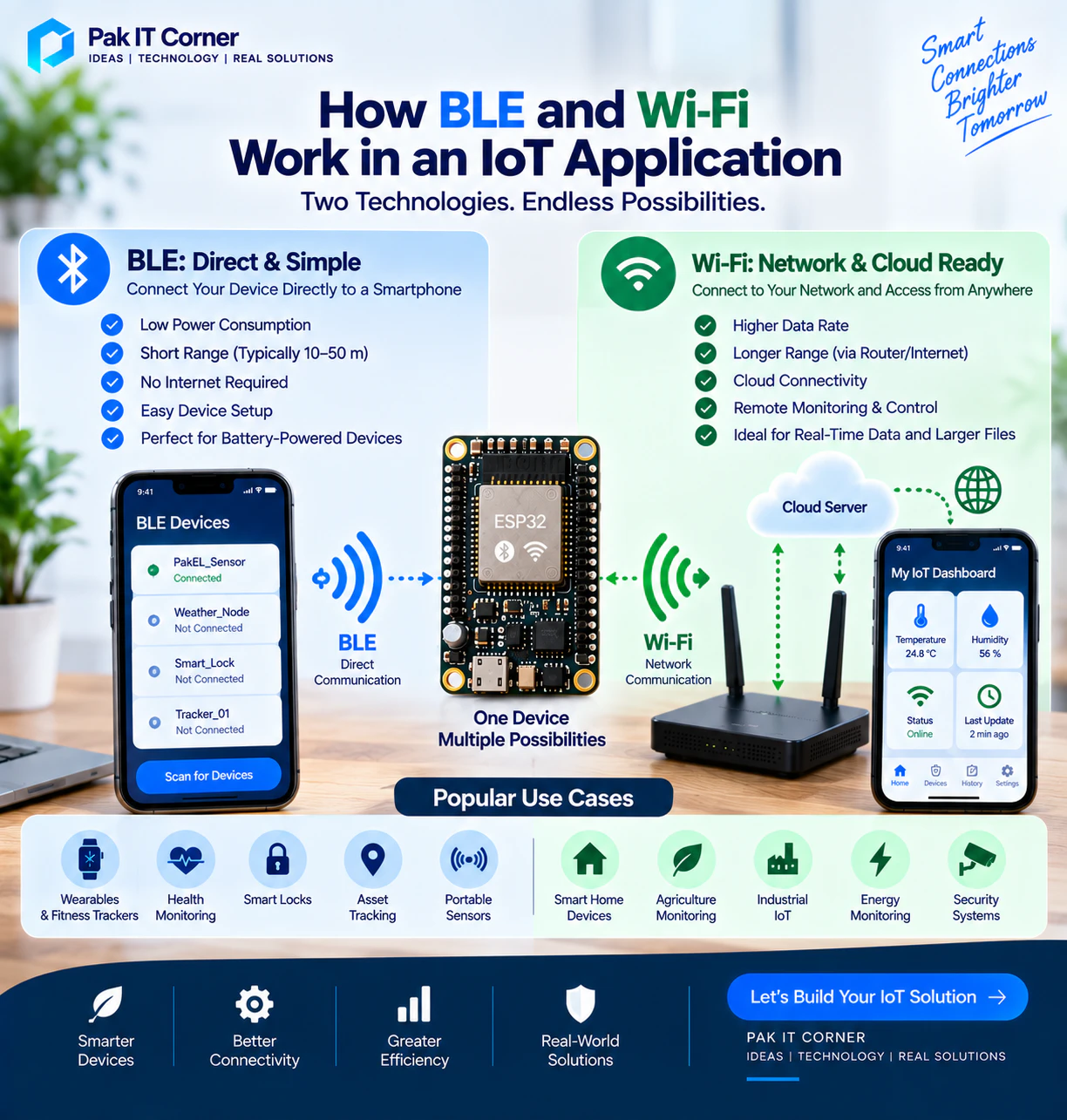
IoT Device → BLE → Mobile App
The IoT device advertises its presence, and the mobile application discovers it.
After connecting, the application communicates with the device through BLE services and characteristics.
A characteristic can represent information such as:
- Temperature
- Humidity
- Battery percentage
- Device status
- Configuration
- Motor state
- Sensor readings
- Control commands
The mobile application can read values, write commands, or subscribe to notifications from the device.
BLE Services and Characteristics
BLE applications commonly use the Generic Attribute Profile, or GATT.
A BLE device exposes one or more services.
Each service can contain multiple characteristics.
For example, a smart environmental sensor might contain:
Environmental Service:
- Temperature characteristic
- Humidity characteristic
- Battery characteristic
- Alarm configuration characteristic
Each service and characteristic is identified using a UUID.
A well-designed BLE protocol is important because the mobile application and embedded firmware must agree on exactly how information is represented.
BLE Notifications
BLE notifications allow the hardware to send updated information to the application without requiring the application to continuously request it.
For example:
- The mobile application connects to a sensor.
- It subscribes to the temperature characteristic.
- The device detects a temperature change.
- The firmware sends a BLE notification.
- The application immediately updates the display.
This approach is useful for real-time monitoring while keeping communication efficient.
Advantages of BLE for IoT
Low Power Consumption
BLE was designed with energy efficiency in mind.
This makes it attractive for battery-powered devices that need to operate for long periods.
Direct Smartphone Connection
Most modern Android and iOS smartphones support BLE.
A dedicated internet connection or router is not required for basic local communication.
Works Without Internet
BLE communication can continue even when internet connectivity is unavailable.
This is useful for:
- Outdoor devices
- Portable equipment
- Industrial equipment
- Remote locations
- Offline configuration
- Local control systems
Easy Device Provisioning
BLE can provide a convenient method for configuring a new IoT device.
For example, the mobile application can send Wi-Fi credentials to the device over BLE during initial setup.
Good for Small Data Transfers
Sensor readings, settings, commands, status information, and configuration data are usually well suited to BLE.
Limitations of BLE
BLE is not the best choice for every product.
Potential limitations include:
- Limited practical range compared with network-based remote access
- Lower data throughput than Wi-Fi
- Mobile operating-system background restrictions
- Connection-management complexity
- Device-specific behavior
- Additional work for reliable reconnection
For applications involving large files, continuous high-bandwidth streams, or direct cloud communication, Wi-Fi may be more appropriate.
How Wi-Fi Works in an IoT Application
A typical cloud-connected Wi-Fi architecture may look like:
IoT Device → Wi-Fi Router → Internet → Cloud → Mobile App
The IoT device connects to a wireless network and communicates with a server.
The mobile application also communicates with that server.
This allows the user to control or monitor the device even when they are far away from it.
For example, a user could check a farm sensor from another city or control a smart appliance while away from home.
Local Wi-Fi Communication
Not every Wi-Fi application needs the cloud.
A mobile application and IoT device can communicate while connected to the same local network.
For example:
Phone → Wi-Fi Router → IoT Device
Local communication can provide:
- Low latency
- Operation without internet
- Reduced cloud dependency
- Local dashboards
- Device configuration
However, local network discovery and communication need to be designed carefully for different routers and network configurations.
Cloud-Based Wi-Fi Communication
For remote access, the IoT device commonly communicates with a cloud backend.
The cloud may provide:
- Device authentication
- User authentication
- Database storage
- Remote commands
- Notifications
- Analytics
- Device management
- Historical data
- Firmware information
- API access
The mobile application communicates with the same backend to retrieve data and send commands.
MQTT for Wi-Fi IoT Devices
MQTT is a lightweight messaging protocol commonly used in IoT systems.
Instead of repeatedly requesting information, devices and applications can publish and subscribe to topics.
For example:
devices/device123/temperature
A sensor might publish its temperature to this topic.
Another topic might be used for commands:
devices/device123/commands
MQTT can work well for systems requiring:
- Real-time telemetry
- Remote control
- Multiple devices
- Event-driven communication
- Cloud integration
- Efficient messaging
REST APIs for IoT Apps
REST APIs are another common way for mobile applications to communicate with IoT backends.
For example, an application might request:
GET /api/devices/123/status
or send a command:
POST /api/devices/123/control
REST APIs are particularly useful for:
- Account management
- Device lists
- Historical data
- Configuration
- Reports
- User profiles
- Administration
Many IoT platforms use both REST APIs and real-time communication such as MQTT or WebSockets.
Advantages of Wi-Fi for IoT
Direct Internet Connectivity
Wi-Fi devices can communicate directly with internet services without requiring a smartphone to remain nearby.
Remote Monitoring
Users can access devices from almost anywhere when both the device and user have internet connectivity.
Higher Data Throughput
Wi-Fi is generally more appropriate for larger data transfers.
This can be useful for:
- Images
- Audio
- Larger firmware updates
- Frequent telemetry
- Rich device data
Cloud Integration
Wi-Fi makes it practical to integrate devices with:
- Databases
- Dashboards
- Analytics
- Notifications
- Automation
- AI services
- Remote management systems
Multi-User Access
Because communication can pass through a backend, multiple authorized users can access the same device without being physically close to it.
Limitations of Wi-Fi
Wi-Fi also introduces challenges.
These can include:
- Higher power consumption
- Wi-Fi credential provisioning
- Router compatibility
- Network changes
- Internet outages
- Cloud infrastructure requirements
- Security requirements
- Reconnection logic
These issues should be considered during product architecture rather than after development.
Power Consumption: BLE vs Wi-Fi
Power consumption can be a deciding factor for battery-powered IoT devices.
BLE is usually better suited to products that:
- Sleep most of the time
- Wake periodically
- Send small amounts of data
- Run from small batteries
- Need long operating life
Wi-Fi generally requires more power, particularly when maintaining connectivity or transferring significant amounts of data.
However, Wi-Fi power consumption can be reduced through careful firmware design.
Techniques may include:
- Deep sleep
- Scheduled wake cycles
- Batch data transmission
- Connection only when required
- Efficient communication protocols
The best architecture depends on how frequently the product needs to communicate.
Range: BLE vs Wi-Fi
Wireless range depends on many factors, including:
- Transmit power
- Antenna design (custom PCB antenna layout)
- Device enclosure
- Obstacles
- Interference
- Environment
- Receiver sensitivity
- Protocol configuration
Therefore, fixed range numbers should not be treated as guarantees.
BLE is commonly used for nearby device interaction (typically 10 to 50 meters), while Wi-Fi allows devices to communicate through a network and across the internet.
If a user needs access from another building, city, or country, cloud-connected Wi-Fi is generally the more practical solution.
BLE for Battery-Powered Devices
Consider a small environmental sensor powered by a battery.
It measures temperature and humidity every few minutes.
The user only needs to check it when standing nearby.
In this situation, BLE may be an excellent choice.
The device can remain in a low-power state and communicate only when necessary.
Adding permanent Wi-Fi connectivity might increase energy consumption without providing meaningful value.
Wi-Fi for Remote Monitoring
Now consider a greenhouse monitoring system.
The owner wants to monitor:
- Temperature
- Humidity
- Soil moisture
- Water levels
- Equipment status
from anywhere.
The system may also need to send alerts if conditions become dangerous.
Wi-Fi combined with a cloud backend may be more appropriate because the device must communicate even when the user is not nearby.
When Should You Use BLE?
BLE is a strong choice when:
- The product is battery powered
- Communication is primarily local
- Small amounts of data are transferred
- Internet connectivity is unnecessary
- A smartphone will usually be nearby
- Easy local configuration is important
- Low power consumption is a priority
Typical examples include:
- Wearables
- Smart locks
- Portable sensors
- Tracking accessories
- Medical accessories
- Fitness devices
- Configuration tools
When Should You Use Wi-Fi?
Wi-Fi is a strong choice when:
- Remote access is required
- Cloud connectivity is important
- Larger amounts of data are transferred
- The device has sufficient power
- Continuous or frequent communication is required
- Multiple users need remote access
- Historical data must be stored in the cloud
Typical examples include:
- Smart-home controllers
- Security systems
- Industrial monitoring
- Farm monitoring
- Smart appliances
- Energy monitoring
- Cloud-connected equipment
Why Many IoT Products Use Both BLE and Wi-Fi
BLE and Wi-Fi do not necessarily compete with each other.
They can complement each other.
A common architecture is:
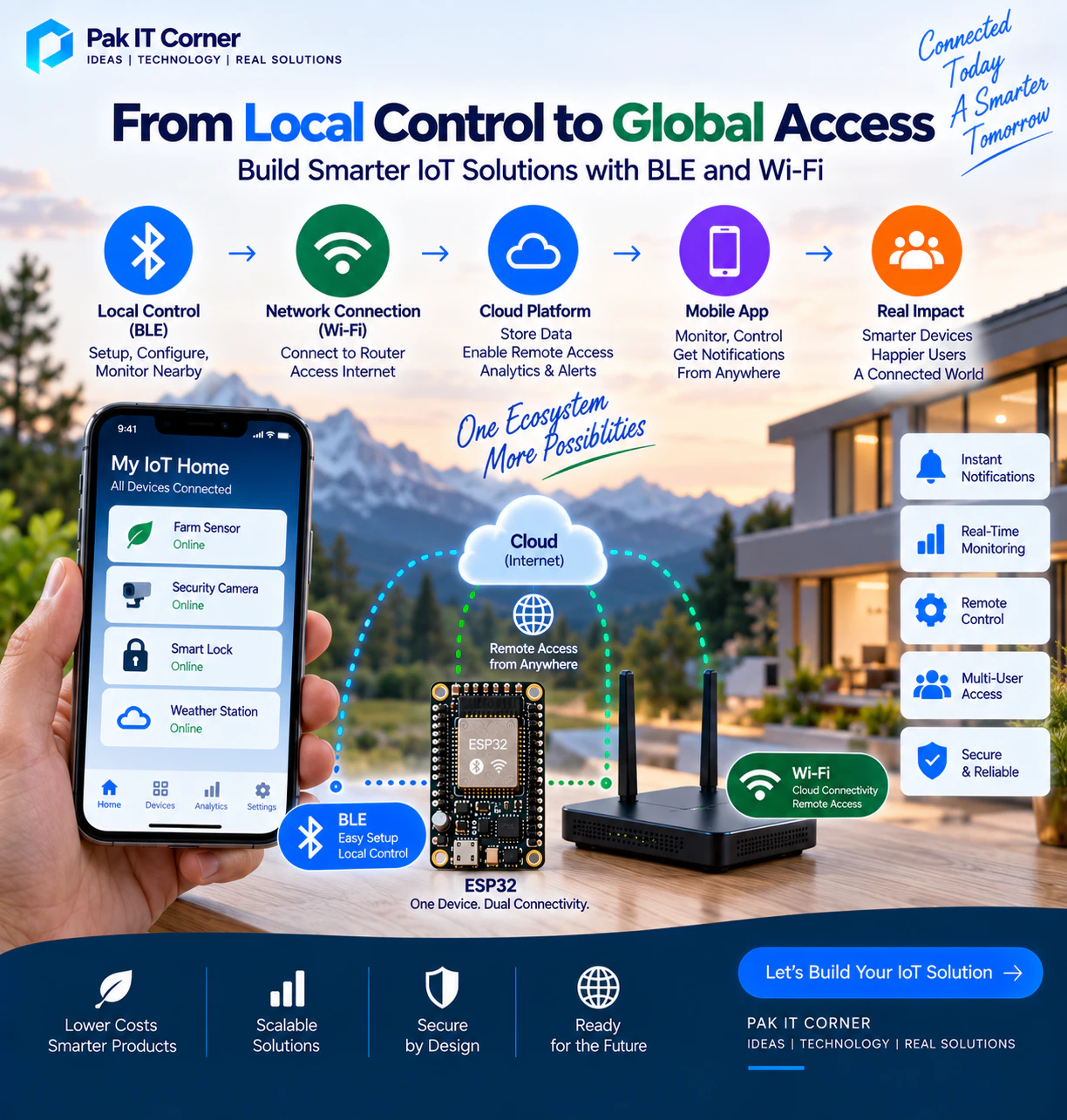
Mobile App → BLE → IoT Device → Wi-Fi → Cloud
BLE handles initial setup and nearby communication.
Wi-Fi handles internet connectivity and remote communication.
This approach can provide a better user experience than relying entirely on one technology.
Using BLE for Wi-Fi Provisioning
One of the most useful BLE + Wi-Fi architectures is BLE-based Wi-Fi provisioning.
The process can work like this:
- The user powers on the new IoT device.
- The device advertises over BLE.
- The mobile application discovers the device.
- The user selects the device.
- The application securely sends Wi-Fi configuration information.
- The device connects to the Wi-Fi network.
- The device registers with the cloud platform.
- The application confirms successful setup.
After setup, the product may primarily communicate through Wi-Fi.
BLE can remain available for maintenance, recovery, or local control.
ESP32 for BLE and Wi-Fi IoT Products
ESP32 devices are popular for connected products because many variants provide both Wi-Fi and Bluetooth capabilities (see our ESP32 prototype to production guide).
A single ESP32-based product can potentially support:
- BLE provisioning
- Local BLE control
- Wi-Fi connectivity
- REST APIs
- MQTT
- Cloud communication
- OTA firmware updates
- Sensor monitoring
This makes ESP32 attractive for prototypes and production IoT devices when its capabilities match the product requirements.
Mobile App Architecture for BLE
A BLE mobile application typically requires modules for:
- Permission management (Bluetooth, Location/Nearby Devices)
- Device scanning
- Device filtering
- Connection
- Service discovery
- Characteristic discovery
- Reading
- Writing
- Notifications
- Reconnection
- Connection-state monitoring
- Error handling
The application should clearly show connection state to the user.
For example:
- Searching
- Connecting
- Connected
- Synchronizing
- Disconnected
- Reconnecting
Good connection-state handling significantly improves the user experience.
Mobile App Architecture for Wi-Fi IoT
A cloud-connected Wi-Fi application may require:
- User authentication
- Device ownership
- Device lists
- API communication
- Real-time updates
- Historical data
- Notifications
- Device settings
- Account management
- Cloud database integration
The mobile application may never communicate directly with the physical device after provisioning. Instead, both communicate through the cloud platform.
Security for BLE IoT Devices
BLE security should be designed according to the sensitivity and risk profile of the product.
Possible requirements include:
- Secure pairing
- Authentication
- Device identity
- Authorization
- Encryption
- Protection against unauthorized commands
- Secure provisioning
A product should not assume that being physically nearby automatically makes a user trusted.
Security for Wi-Fi IoT Devices
Cloud-connected products require security across several layers.
These may include:
- Secure Wi-Fi provisioning
- TLS encryption
- Device credentials
- API authentication
- User authorization
- Secure credential storage
- Backend access controls
- Firmware integrity
- Secure OTA updates
Hardcoding shared production passwords or API secrets into every device should be avoided. Each production device should have an appropriate identity and authentication strategy.
Device Ownership
An IoT backend should understand which user owns or has access to which device.
A common onboarding process is:
- User creates an account.
- User discovers or scans the device.
- Device identity is verified.
- Device is associated with the account.
- Backend stores the ownership relationship.
- User can access the device through the application.
Additional users can be granted access through controlled sharing mechanisms if the product requires them.
Offline Operation
Offline requirements should be decided early.
If the internet fails, should the user still be able to control the device?
If yes, the product may need:
- BLE fallback
- Local Wi-Fi control
- Cached application data
- Local automation
- Offline firmware behavior
Cloud connectivity should not automatically mean that every basic product function must stop when the internet is unavailable.
Reconnection Is Critical
Wireless communication is never perfectly stable.
Users move away from devices. Routers restart. Phones change networks. Internet connections disappear.
Good IoT products are designed around these realities.
Firmware and applications should handle:
- BLE disconnects
- Wi-Fi disconnects
- Router changes
- Server outages
- Application restarts
- Device reboots
Automatic recovery can make the difference between a product that feels reliable and one that feels frustrating.
OTA Firmware Updates
Connected products often require firmware updates after deployment.
OTA updates can provide:
- Bug fixes
- Security improvements
- New features
- Protocol changes
- Performance improvements
Wi-Fi is particularly useful for delivering larger firmware files.
BLE firmware updates are also possible, but implementation depends on the hardware and product architecture.
Production OTA systems should include appropriate validation and recovery mechanisms.
Real-Time Monitoring
Both BLE and Wi-Fi can support real-time data, but they serve different scenarios.
BLE works well when the user is near the device:
Sensor → BLE → Phone
Wi-Fi works well when the user needs remote access:
Sensor → Wi-Fi → Cloud → Phone
The application interface may look similar in both cases, but the underlying architecture is very different.
BLE vs Wi-Fi for IoT Mobile Apps: Which Is Better?
There is no universal winner.
Choose BLE when the product primarily requires low-power, local communication.
Choose Wi-Fi when the product requires internet connectivity, remote monitoring, cloud services, or higher data throughput.
Use both when the product benefits from simple local setup combined with reliable remote connectivity.
The best technology is the one that supports the actual product requirements with the least unnecessary complexity.
Common Mistakes in BLE and Wi-Fi IoT Development
Common problems include:
- Choosing Wi-Fi for a tiny battery-powered device without analyzing power consumption
- Using BLE when remote access is a core requirement
- Designing the app before defining the communication protocol
- Ignoring reconnection behavior
- Hardcoding credentials
- Failing to design device identity
- Poor Wi-Fi provisioning
- Assuming wireless connections will always remain available
- Not testing with real hardware
- Ignoring firmware updates
- Building cloud dependency into functions that should work locally
These issues are easier and cheaper to solve during architecture design than after production.
Recommended Development Workflow
A practical IoT development process can include:
- Define product requirements.
- Determine local and remote communication needs.
- Analyze battery and power requirements.
- Choose BLE, Wi-Fi, or both.
- Define the communication protocol.
- Develop the firmware.
- Build the mobile application (Android, iOS, or Flutter).
- Implement cloud infrastructure if required.
- Test provisioning.
- Test connection and reconnection.
- Test failure scenarios.
- Implement security.
- Test OTA updates.
- Perform real-world wireless testing.
- Prepare the system for production (hardware & PCB manufacturing).
Hardware, firmware, mobile software, and cloud architecture should be considered together.
Frequently Asked Questions
Is BLE better than Wi-Fi for IoT?
Neither is universally better. BLE is generally more suitable for low-power local communication, while Wi-Fi is better for network and cloud connectivity.
Does BLE require internet access?
No. A smartphone and BLE device can communicate directly without internet access.
Does Wi-Fi require the cloud?
No. Devices can communicate locally over a Wi-Fi network. However, cloud services are commonly used when remote access is required.
Can an IoT device use BLE and Wi-Fi together?
Yes. Many connected products use BLE for setup or local communication and Wi-Fi for cloud connectivity and remote control.
Is BLE suitable for battery-powered devices?
Yes. Low power consumption is one of BLE's major advantages, although actual battery life depends on firmware, hardware, connection parameters, sensors, and usage patterns.
Is Wi-Fi suitable for battery-powered IoT devices?
Yes, but careful power management may be required. Devices that communicate infrequently can connect to Wi-Fi only when necessary and sleep between transmissions.
Can ESP32 use both BLE and Wi-Fi?
Many ESP32 variants support both technologies, making them useful for products that require local Bluetooth communication and Wi-Fi connectivity.
Which technology is better for remote monitoring?
Wi-Fi combined with an internet connection and backend platform is generally more suitable for remote monitoring.
Which technology is better for device setup?
BLE can provide a convenient setup experience because the smartphone can communicate directly with a new device before the device has joined a Wi-Fi network.
How Pak IT Corner Develops Connected IoT Solutions
Pak IT Corner works across mobile applications, embedded firmware, IoT connectivity, cloud integration, and supporting hardware development.
Our capabilities include:
- BLE mobile applications (iOS & Android)
- Wi-Fi IoT applications and cloud dashboards
- Flutter cross-platform app development
- Native Android (Kotlin) and iOS (Swift) integration
- ESP32 and embedded firmware development
- Sensor integration and analog data acquisition
- MQTT broker and telemetry pipeline architecture
- REST API and WebSocket communication
- Cloud-connected fleet management systems
- Real-time telemetry and monitoring dashboards
- Secure BLE Wi-Fi provisioning flows
- Over-The-Air (OTA) firmware update delivery
- Custom PCB design and embedded hardware engineering
- Complete IoT product development cost breakdown (2026)
For connected products, designing the mobile application and device communication together can reduce integration problems and produce a more reliable user experience — explore our past work in our portfolio or review our IoT product development cost guide.
Final Thoughts
BLE and Wi-Fi solve different IoT connectivity problems.
BLE is particularly valuable for low-power, nearby communication and device setup. Wi-Fi is powerful when products require cloud connectivity, remote monitoring, higher throughput, or communication without a nearby smartphone.
For many modern IoT products, the strongest architecture is not BLE or Wi-Fi — it is a carefully designed combination of both.
The decision should always begin with the product requirements: power consumption, range, data volume, offline operation, remote access, security, user experience, and long-term scalability.
When those requirements are understood first, choosing the right connectivity architecture becomes much easier.